Audits without screenshots: compliance as code
Turning SOC 2 and ISO 27001 controls into automatic checks.
Turning SOC 2 and ISO 27001 controls into automatic checks.
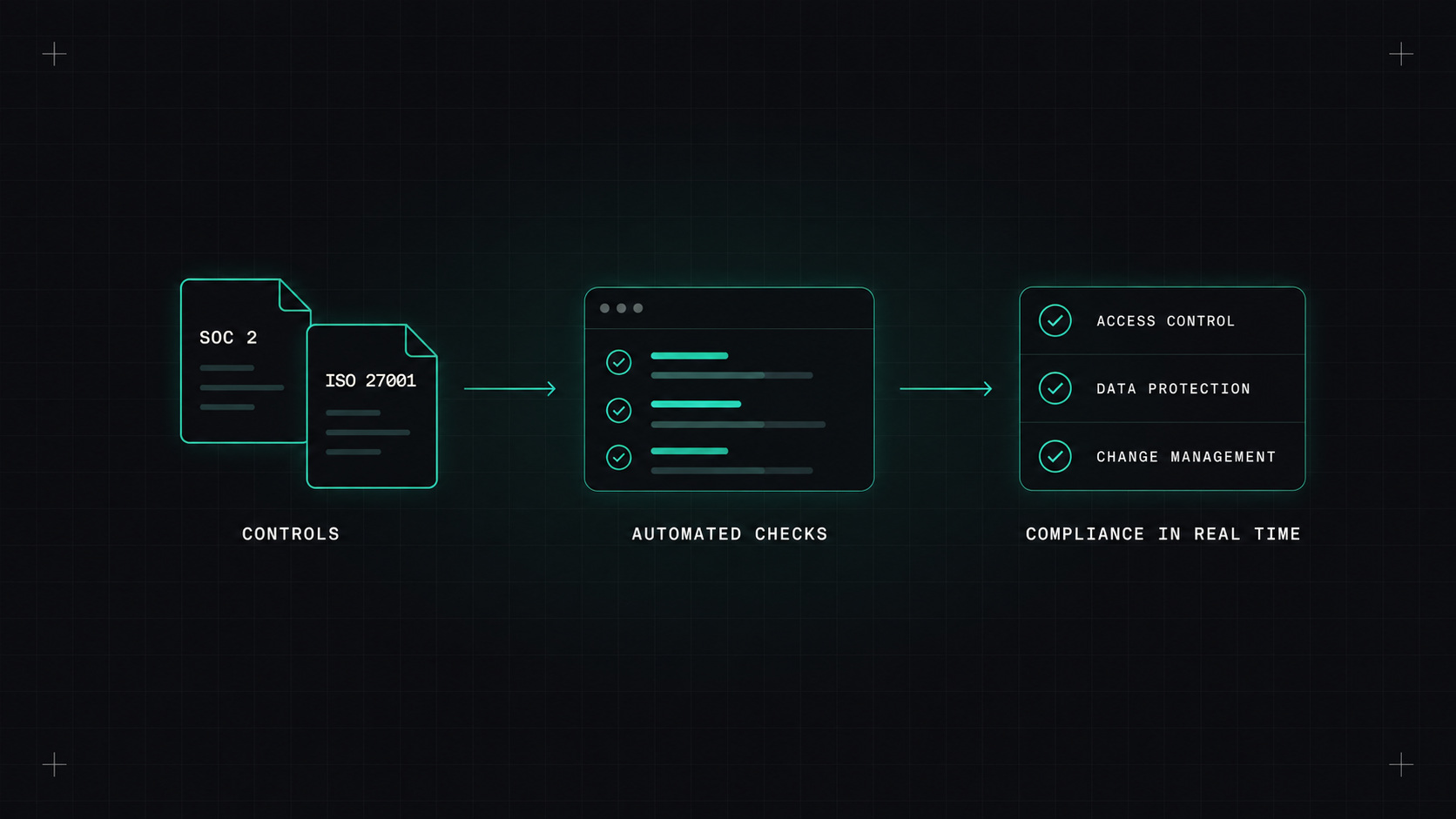
If you've been through a SOC 2 or ISO 27001 audit, you know the routine. Weeks before the audit, someone sends a spreadsheet of controls. Engineers stop their work to take screenshots: here's our MFA setting, here's our backup policy, here's proof we reviewed access in March. The auditor asks for more screenshots. Everyone is relieved when it's over, until next year.
There's a better way: treat compliance like any other requirement. Express it in code, check it continuously, and generate evidence automatically.
A compliance framework is a list of controls. Many of them are actually technical statements that can be checked automatically:
| Control (simplified) | Automated check |
|---|---|
| Data is encrypted at rest | All storage, databases and volumes have encryption enabled |
| Access requires MFA | Identity provider enforces MFA for all users |
| Changes are reviewed | Branch protection requires approvals on production repos |
| Systems are patched | Images rebuilt weekly, no critical vulnerabilities older than X days |
| Backups exist and are tested | Backup jobs succeed, restore tests run monthly |
| Logs are retained | Audit logs enabled and retained for the required period |
| Least privilege | No users with admin rights outside an approved group |
Once written as checks, they can run every day instead of once a year.
If a control can be checked by a script, it shouldn't be checked by a screenshot.
For cloud configuration: - AWS Config, Azure Policy, Google Cloud Security Command Center: continuous checks of cloud resources, with built-in rule packs for many frameworks. - Prowler: open-source security and compliance scanner for AWS, Azure, GCP and Kubernetes, with mappings to CIS, SOC 2, ISO 27001, PCI DSS and more. - Cloud Custodian: rules written in YAML that can find and even fix non-compliant resources automatically (for example, tag or stop untagged instances).
For infrastructure code: - Checkov, Trivy, OPA/Conftest to block non-compliant changes before they're applied.
For Kubernetes: - Kyverno or Gatekeeper policies, and Kubescape for framework-based scans.
For the bigger picture: - Compliance automation platforms like Vanta, Drata and Secureframe connect to your cloud, identity provider, HR system and code hosting, map everything to controls, and collect evidence continuously. Very useful for smaller companies going through their first audit.
I think about it in three layers:
Prevention is the cheapest. Detection is the safety net. Proof is what the audit needs.
A huge amount of evidence already exists in your tools, if you set them up properly:
Auditors increasingly accept this kind of system-generated evidence, and often prefer it to screenshots, because it's complete and harder to fake.
Bring results together in one view: which controls pass, which fail, and since when. Share it with security, engineering and management. The conversation changes from "are we ready for the audit?" to "this control has been failing for three days, who's fixing it?"
Not everything is technical. Policies need writing, people need training, risk assessments need human judgement, vendors need reviewing. Compliance as code doesn't remove that work. It removes the repetitive, error-prone part, so people can focus on the parts that need thinking.
Take the control list from your last audit. Find the five technical controls that required the most screenshot work. Use your cloud's built-in tools or Prowler to automate checks for those. Next time, you'll show a dashboard instead of a folder full of images.
My take: compliance shouldn't be a yearly fire drill. Write the rules as code, check them every day, and let the audit become a formality.
— Desly