Goodbye passwords
Passkeys are the biggest change to how we log in since the password itself. Here's what they are, why they're safer, and how to start using them today.
Passkeys are the biggest change to how we log in since the password itself. Here's what they are, why they're safer, and how to start using them today.
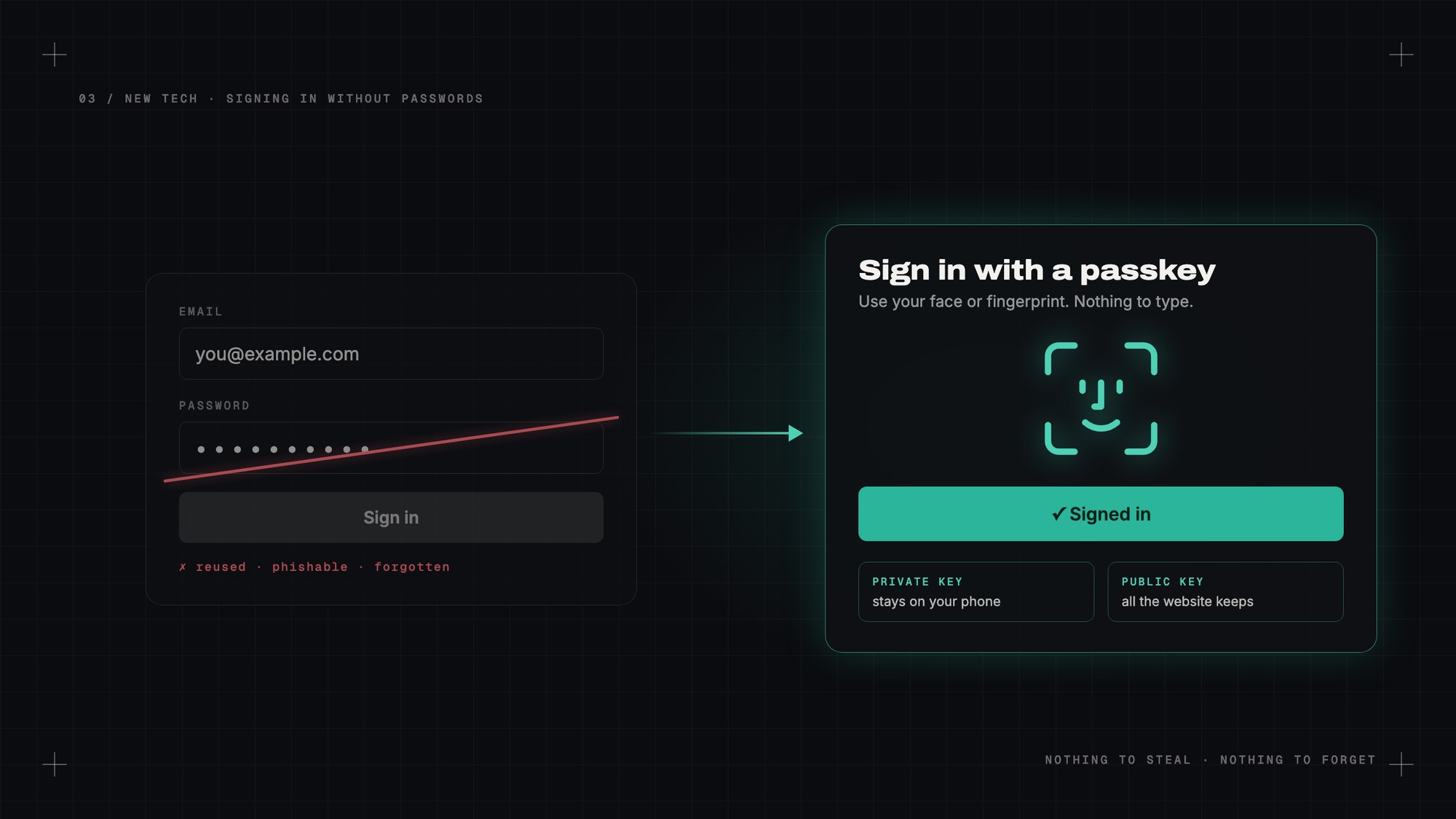
How many passwords do you have? Be honest. Now, how many of them are actually different?
Most of us rely on a few favourite passwords, tweaking them slightly — a capital letter here, an exclamation mark there, a year at the end. We know it's bad. We do it anyway, because nobody can remember two hundred random strings of characters.
Working in DevOps, I see the other side of this too. A huge share of security problems still start with a stolen or guessed password. Not clever hacking, just someone typing the right word into the wrong website.
Passkeys are the first real fix I've seen for this. And the good news: you can start using them today.
A passkey replaces your password with something you don't have to remember, and that can't be stolen from the website.
When you create a passkey for a website, your phone or computer makes a matching pair of digital keys. One is private and never leaves your device. The other is public, and that's all the website stores.
When you sign in, the website sends a little challenge. Your device answers it with the private key, after you unlock it with your face, fingerprint or PIN. The website checks the answer with the public key. If it matches, you're in.
No password is typed. No password is sent. No password is stored on the server.
The website keeps a lock. Only your phone has the key.
Nothing to steal from the website. When a company gets hacked and its password database leaks, millions of accounts are suddenly at risk. With passkeys, all the hackers get is public keys. They're useless on their own.
Phishing stops working. This is the big one. A fake login page can trick a human into typing a password. It can't trick a passkey, because a passkey is tied to the real website's address. If the site isn't really your bank, your phone simply won't offer the passkey.
Nothing to reuse. Every passkey is unique to one website. One leak can't unlock the rest of your life.
Nothing to forget. You unlock your phone dozens of times a day anyway. Signing in feels exactly like that.
Passkeys are built on a standard from the FIDO Alliance, and Apple, Google and Microsoft all committed to supporting them together. That's rare, and it's why this is actually happening.
On an iPhone or Mac, passkeys are saved in your Apple account's keychain and sync between your devices. On Android and Chrome, they're saved in Google Password Manager. Windows has them too. Password managers like 1Password and Bitwarden can store them as well, which helps if you use a mix of devices.
A growing list of big services already let you sign in with one: Google, Apple, Microsoft, Amazon, PayPal, GitHub, WhatsApp and many more. Microsoft has even started making new accounts passwordless by default.
Pick the account that matters most. Usually that's your main email, because email is the key that resets everything else.
Go to the security settings of that account and look for "passkeys" or "sign in with a passkey". Click create, confirm with your face or fingerprint, and you're done. Next time you sign in, your device will offer the passkey instead of asking for a password.
On a computer that isn't yours, many sites can show a QR code. Scan it with your phone, approve it there, and you're signed in, without typing anything on that computer.
It's not perfect yet.
Switching ecosystems can be awkward. If all your passkeys live in Apple's keychain and you move to Android, moving them over has historically been a pain. The industry is working on a standard way to transfer them, but it's still early.
Not every site supports them. Plenty of websites still only take passwords. You'll live in a mixed world for a while.
Losing your devices needs a plan. Because passkeys sync through your account, losing one phone is fine. Losing access to your whole Apple or Google account is not. Set up account recovery properly, with a recovery contact or recovery key.
It can be confusing. Different sites word it differently, and sometimes they still ask for a password "just in case". It will get smoother.
Not overnight. Passwords have been around since the earliest days of computing and they'll stick around for a long time on older sites. But for the accounts that matter most, I think within a few years typing a password will feel as old-fashioned as writing a cheque.
I've started switching my important accounts over. The first time I signed in with just my face, on a site that used to need a long password and a code from my phone, it honestly felt like cheating.
My take: set up a passkey for your email today. It's the five minutes of security you'll never regret.
— Desly