Profiling in production: where the CPU actually goes
Metrics say something is slow. Profiles say why.
Metrics say something is slow. Profiles say why.
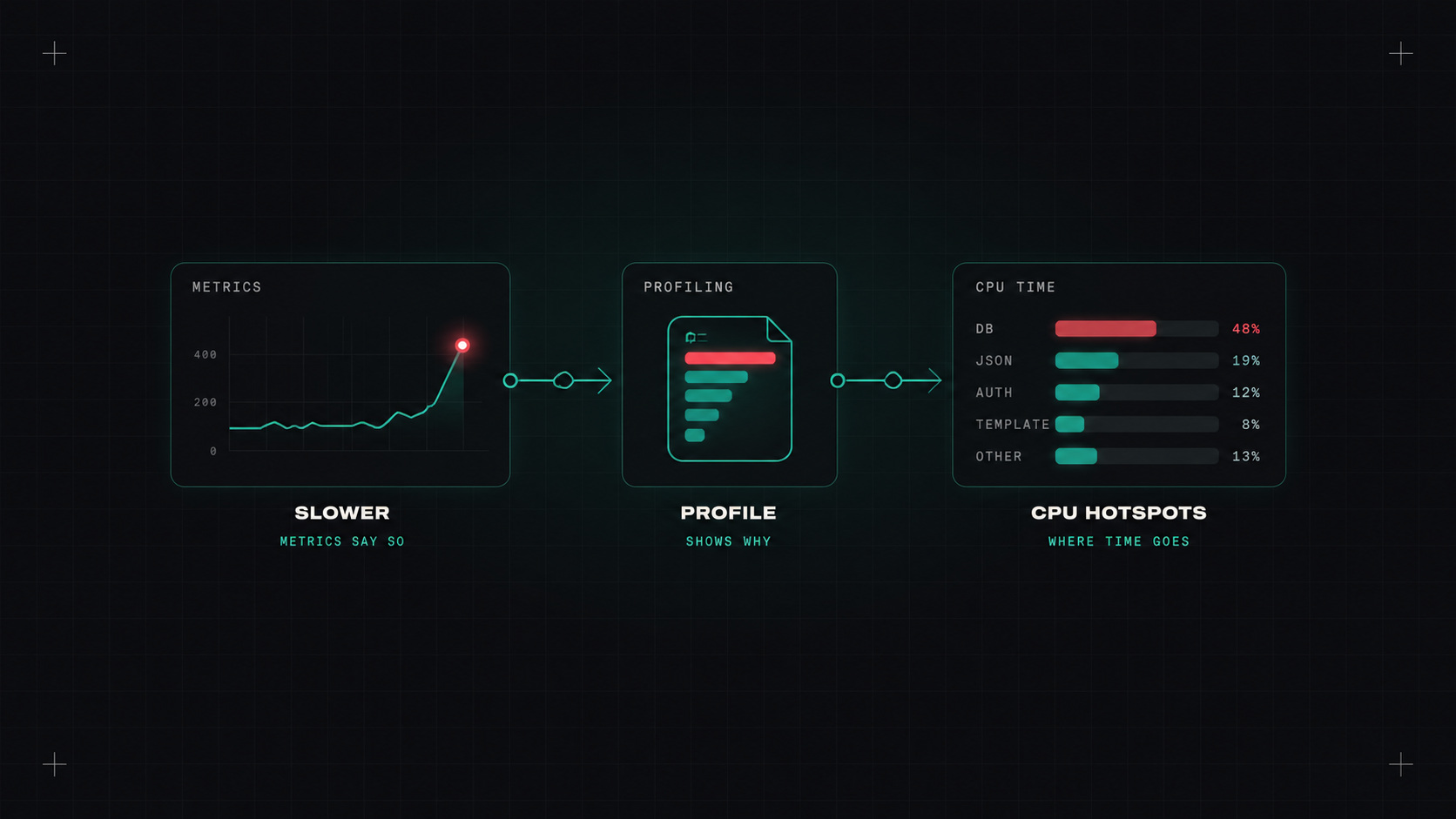
Here's a familiar situation. A dashboard shows a service using way more CPU than it should. Latency is creeping up. You look at the metrics: yes, CPU is high. You look at the traces: requests are slow, but inside the service, not in its dependencies. You look at the logs: nothing unusual.
What you really want to know is: which code is using all that CPU? That's what profiling answers. And continuous profiling answers it all the time, in production.
A profile records where a program spends its resources, down to individual functions and lines:
Profiles are usually shown as flame graphs: each bar is a function, its width shows how much time it took, and functions it called are stacked on top. Wide bars are where the time goes. You can see at a glance that, for example, 30% of CPU goes into JSON serialisation, or a regex compiled on every request.
Metrics tell you that your service is slow. A flame graph points at the line of code making it slow.
Developers have profiled code for decades, but usually locally, for a few minutes, with special tools. The problem: production behaves differently. Different data, different traffic, different load.
Continuous profiling collects profiles from production all the time, with low overhead, and stores them so you can:
There are two ways to collect:
The usual first question: does profiling slow down production? Modern continuous profilers sample, for example looking at the stack a hundred times per second, instead of tracing every function call. The overhead is typically small, often around 1% of CPU, depending on the tool and settings.
Compared to the savings it often finds, that's a very good deal. But test it on your workloads, and start with a few services.
This is where continuous profiling pays for itself. Common findings when teams first look at fleet-wide flame graphs:
Fixing a single wide bar in the flame graph of a service that runs on hundreds of cores can save real money. That's why profiling is increasingly part of FinOps conversations, not just performance tuning.
That first comparison, a visibly narrower bar and a lower CPU graph, is usually what convinces the rest of the team.
For any team running services at scale, yes. Continuous profiling fills the gap between "the service is slow" and "here's why", and it regularly finds savings that pay for the whole observability stack.
My take: don't guess where your CPU goes. Look. The flame graph is usually more honest than any of us.
— Desly