Smaller, safer container images
Your image is probably ten times bigger than it needs to be. How I shrink and harden mine.
Your image is probably ten times bigger than it needs to be. How I shrink and harden mine.
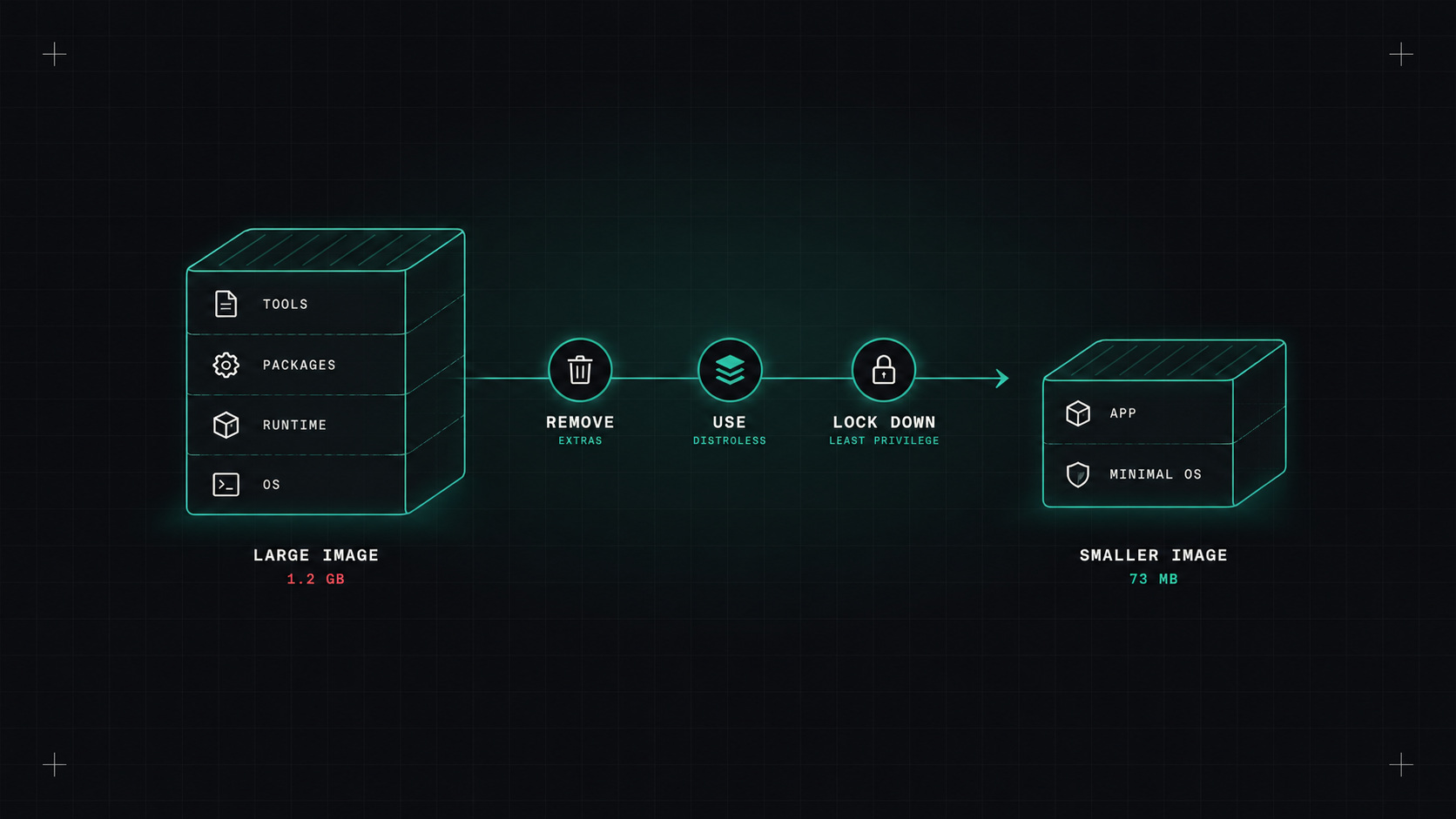
Run docker images on almost any project and you'll find images of 800 MB, 1 GB, sometimes more, for an application whose actual code is a few megabytes. The rest is a full operating system, compilers, package managers, shells, debugging tools and leftover files.
Big images take longer to build, pull and start. Plus, every extra package adds a security risk. Here's how I make mine smaller and safer.
The biggest win, by far. Use one stage with all the build tools to compile your app, then copy only the result into a minimal final image.
# Build stage
FROM golang:1.25 AS build
WORKDIR /src
COPY go.mod go.sum ./
RUN go mod download
COPY . .
RUN CGO_ENABLED=0 go build -o /app ./cmd/server

# Final stage
FROM gcr.io/distroless/static-debian12:nonroot
COPY --from=build /app /app
USER nonroot
ENTRYPOINT ["/app"]
The final image contains the binary and almost nothing else. No shell, no package manager, no compiler. For a Go app, that can mean going from around a gigabyte to around twenty megabytes.
The same pattern works for other languages: build with the full SDK image, run with a slim runtime image.
The base image decides most of your image's size and its vulnerability count.
ubuntu, debian, node, python): convenient, big, lots of packages you don't need.python:3.13-slim, node:22-slim): a good middle ground.A note on Bitnami: many teams relied on Bitnami's free container images and Helm charts. In 2025, Broadcom changed the free catalogue significantly, moving most versioned images to a legacy repository that no longer gets updates. If your charts or Dockerfiles still reference Bitnami images, check them now and move to supported alternatives.
Every package in your image is a package you'll have to patch. The easiest vulnerability to fix is the one you never shipped.
Docker builds layers in order, and reuses cached layers until something changes. So order matters:
package.json, go.mod, requirements.txt), install dependencies, then copy the rest of the code. Code changes then don't invalidate the dependency layer..dockerignore to keep node_modules, .git, test data and local secrets out of the build context.RUN --mount=type=cache,target=/root/.cache/pip \
pip install -r requirements.txt
--cache-to and --cache-from with docker buildx), so pipelines reuse layers from earlier builds.USER in the Dockerfile and runAsNonRoot: true in Kubernetes.--mount=type=secret) for anything needed at build time.Scan images in CI and fail the build on serious, fixable vulnerabilities:
trivy image --severity HIGH,CRITICAL --ignore-unfixed \
  --exit-code 1 registry.example.com/shop-api:1.4.2
Trivy and Grype are both excellent open-source scanners. Docker Scout and most registries also scan automatically.
Two tips: use --ignore-unfixed (or similar) so you're not blocked by vulnerabilities nobody can fix yet, and rescan images regularly, not just at build time, because new vulnerabilities are found in old images every day.
Take your biggest image. Add a multi-stage build and a slim or distroless base. Run Trivy before and after. The difference in size and security is usually so big that the rest of the team will want it too.
My take: ship your app, not a whole operating system. Smaller images are faster, cheaper and safer, all at once.
— Desly