Scaling on Kubernetes: HPA, VPA, KEDA and Karpenter
Four autoscalers, each with its own job. When to use which, and how they work together.
Four autoscalers, each with its own job. When to use which, and how they work together.
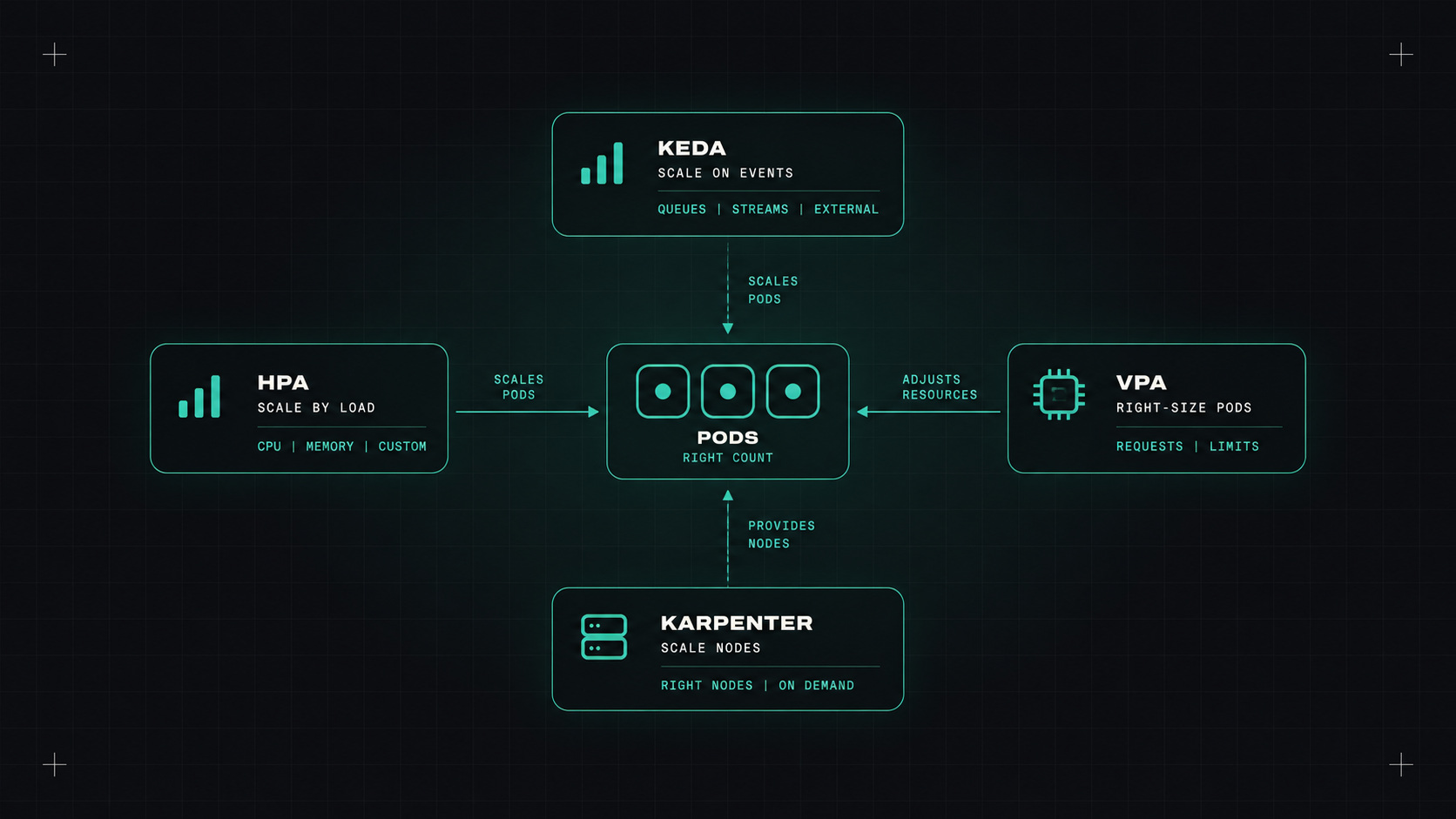
"Kubernetes scales automatically" is one of those sentences that's true and misleading at the same time. Kubernetes can scale automatically, but only if you set it up, and there are several different autoscalers that do very different things.
Here's how I explain them, and how they fit together.
The first thing to understand: there are two levels of scaling.
You usually need both. The pod autoscaler creates pods, but if there's no room for them, they stay Pending until a node autoscaler adds capacity.
The Horizontal Pod Autoscaler is built into Kubernetes. It watches a metric and changes the number of replicas.
apiVersion: autoscaling/v2
kind: HorizontalPodAutoscaler
metadata:
  name: shop-api
spec:
  scaleTargetRef:
    apiVersion: apps/v1
    kind: Deployment
    name: shop-api
  minReplicas: 2
  maxReplicas: 20
  metrics:
  - type: Resource
    resource:
      name: cpu
      target:
        type: Utilization
        averageUtilization: 70
CPU-based scaling works well for stateless web services. Two things to know:
The Vertical Pod Autoscaler watches actual resource use and recommends, or sets, better requests and limits.
It's very useful in recommendation mode: run it for a week and it tells you what your pods actually need. In automatic mode it historically had to restart pods to change their resources. With in-place pod resize now stable in Kubernetes, that's getting much less disruptive.
Important: don't use VPA and HPA on the same CPU metric for the same workload. They'll fight each other.
KEDA (Kubernetes Event-Driven Autoscaling) is a CNCF project that extends HPA with dozens of event sources: queue length in RabbitMQ, Kafka lag, SQS messages, Prometheus queries, cron schedules, and many more.
Its killer feature: scaling to zero. A worker that processes a queue can have zero pods when the queue is empty, and scale up when messages arrive.
apiVersion: keda.sh/v1alpha1
kind: ScaledObject
metadata:
  name: order-worker
spec:
  scaleTargetRef:
    name: order-worker
  minReplicaCount: 0
  maxReplicaCount: 30
  triggers:
  - type: rabbitmq
    metadata:
      queueName: orders
      mode: QueueLength
      value: "20"
    authenticationRef:
      name: rabbitmq-auth
For background workers, KEDA is almost always a better fit than CPU-based HPA. CPU tells you how busy the workers are. Queue length tells you how much work is waiting.
Scale on the signal that represents the work, not the side effect of doing it.
For nodes, there are two main options.
Cluster Autoscaler is the classic. It works with node groups you define in advance. When pods are pending, it adds a node to a matching group. When nodes are underused, it removes them. Reliable, supported almost everywhere.
Karpenter started at AWS and is now a Kubernetes SIG project, with support for AWS and Azure. Instead of fixed node groups, it looks at the pending pods and picks the best instance type for them on the spot. It's faster, often cheaper, and good at consolidation: moving pods around so it can remove underused nodes or replace them with cheaper ones. It also handles Spot instances nicely.
On AWS, I'd choose Karpenter today. Elsewhere, use what your provider supports best, often their managed autoscaler.
Autoscaling can oscillate: scale up, scale down, scale up again. Ways to calm it:
behavior section, especially for scale-down (five minutes is a common start).A setup I like for a typical cluster:
My take: autoscaling is a team sport. Get the requests right first, choose the right signal for each workload, and let the node autoscaler handle the rest.
— Desly