Kubernetes as a control plane for everything: Crossplane v2
What if developers could order a database the same way they deploy an app?
What if developers could order a database the same way they deploy an app?
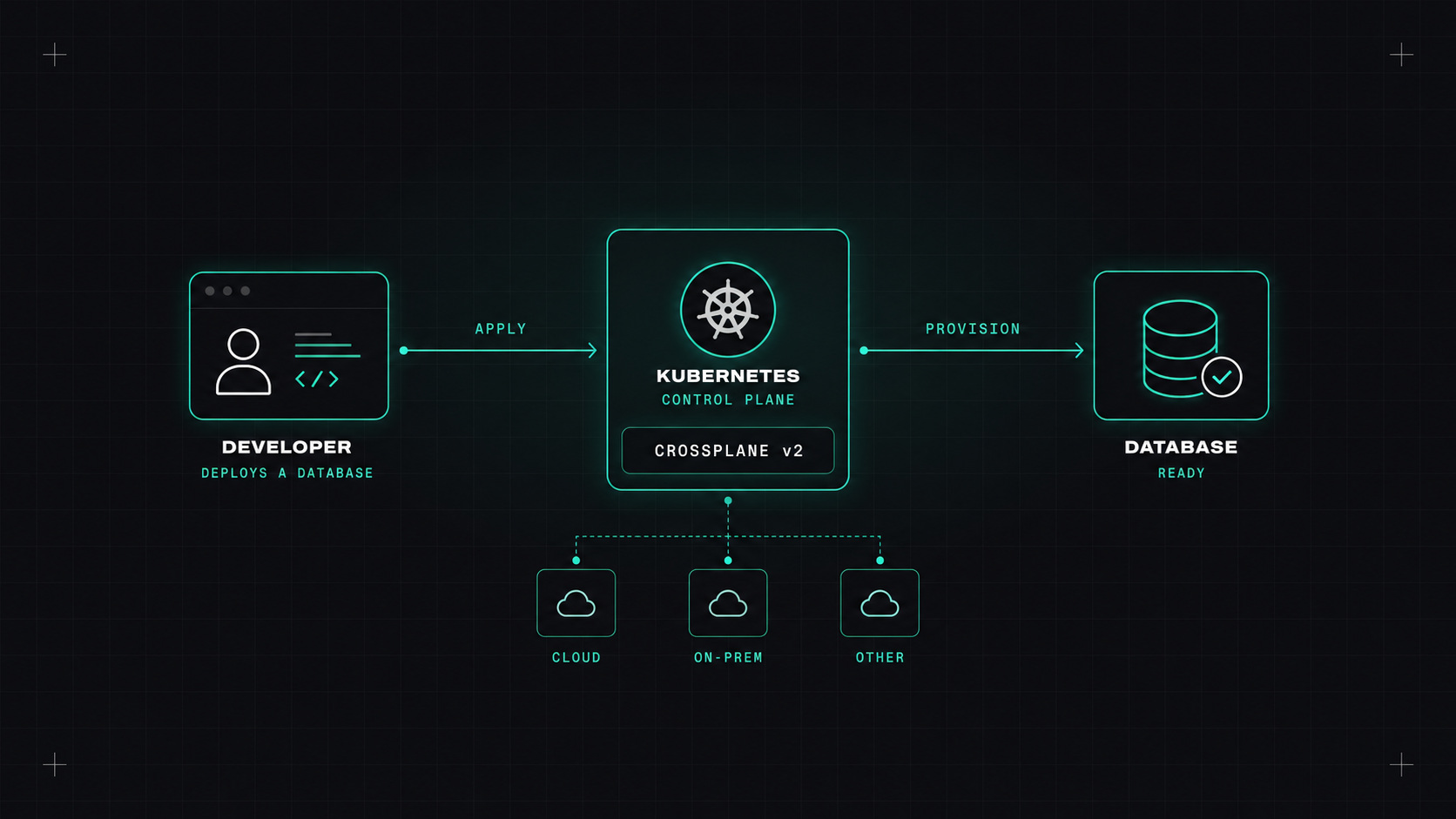
Here's a common situation. A developer needs a database for a new service. They open a ticket. Someone on the ops team writes some Terraform, opens a pull request, waits for review, applies it, and sends back the connection details. Two days later, the developer can finally start.
Crossplane asks a different question: what if the developer could just write a small YAML file, the same way they deploy their app, and get a properly configured database a few minutes later?
Kubernetes is very good at one thing: you describe what you want, and controllers keep working until reality matches. Crossplane extends that idea beyond containers. It adds controllers that create and manage cloud resources: databases, buckets, queues, networks, DNS records. You write YAML, Crossplane talks to AWS, Azure or Google Cloud, and keeps the resource in the state you described.
The really interesting part isn't managing raw cloud resources. It's building your own APIs on top of them.
With Crossplane, the platform team defines a simple, company-specific resource, for example Database, with only the fields developers should care about:
apiVersion: platform.example.com/v1alpha1
kind: Database
metadata:
  name: orders-db
  namespace: shop
spec:
  engine: postgres
  size: small
Behind the scenes, a Composition turns that into everything the company requires: an RDS instance with the right version, encryption, backups, a subnet group, security group rules, monitoring, and a Kubernetes secret with the connection details. The developer sees five lines. The platform team controls the other two hundred.
The schema of that custom resource is defined in a CompositeResourceDefinition (XRD). That's where you set what's allowed: maybe only small, medium and large, maybe only Postgres.
Crossplane lets the platform team turn "how we do databases here" into an API instead of a wiki page.
Crossplane v2 simplified the model in a few important ways:
If you tried Crossplane a few years ago and found it heavy, v2 is worth a second look.
This question always comes up, and the honest answer is: they're good at different things.
Terraform (or OpenTofu) is great for infrastructure that the platform team owns and changes deliberately: networks, clusters, accounts. It runs when you run it, shows a plan, and stops.
Crossplane is great for self-service resources that many teams need, many times: databases, buckets, queues per service. It runs continuously, fixes drift automatically, and fits into GitOps with Argo CD or Flux.
Many teams use both. Terraform builds the foundation, including the cluster that runs Crossplane. Crossplane offers the self-service layer on top.
If I were trying Crossplane for the first time, I'd keep the scope tiny:
Database with two fields.Database in a namespace and watch it appear in your cloud console.Then show it to a developer and ask whether it's useful. That conversation is more valuable than any architecture diagram.
kubectl describe and Crossplane's trace tooling early.My take: Crossplane shines when you treat it as a way to build your own platform API, not just another way to write infrastructure.
— Desly