Servers you never patch: golden images with Packer
Replace servers instead of fixing them. How immutable infrastructure works.
Replace servers instead of fixing them. How immutable infrastructure works.
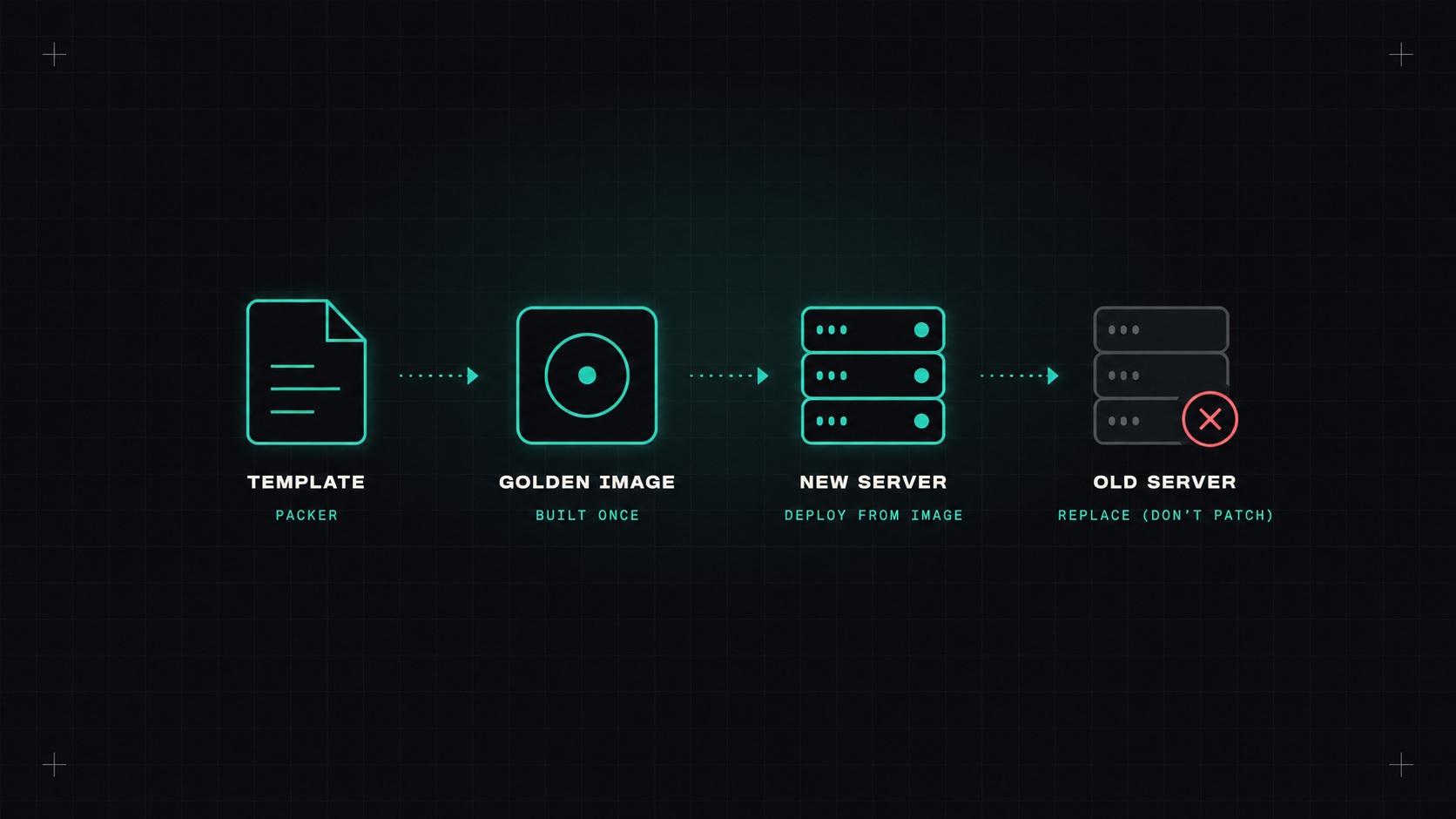
There's an old way to run servers that many of us grew up with. You set up a machine, install your software, and then keep it alive for years. Patch it, tweak it, fix it by hand when something breaks. Over time, every server becomes slightly different, and nobody knows exactly what's on them. People call those servers "pets".
You never change a running server. When something needs to change, you build a new image, start new servers from it, and throw the old ones away.
The famous analogy:
Containers made the cattle model normal for applications. But plenty of workloads still run on virtual machines: Kubernetes nodes themselves, databases, legacy apps, CI runners, appliances. Golden images bring the same idea to VMs.
A golden image is a pre-built machine image (an AMI on AWS, a managed image on Azure, a custom image on Google Cloud, a template on VMware or Proxmox) that already contains:
A new server starts from it in seconds, already configured. No long setup scripts at boot, no drift between machines.
If a server needs fixing, don't fix it. Fix the image, and replace the server.
Packer, from HashiCorp, is the most common tool for building images. You describe the image in HCL, and Packer starts a temporary machine, runs your setup steps, and saves the result as an image.
packer {
  required_plugins {
    amazon = {
      source  = "github.com/hashicorp/amazon"
      version = "~> 1.3"
    }
  }
}

source "amazon-ebs" "base" {
  region        = "eu-central-1"
  instance_type = "t3.small"
  ssh_username  = "ubuntu"
  ami_name      = "acme-base-{{timestamp}}"

  source_ami_filter {
    filters = {
      name                = "ubuntu/images/hvm-ssd-gp3/ubuntu-noble-24.04-amd64-server-*"
      virtualization-type = "hvm"
    }
    owners      = ["099720109477"] # Canonical
    most_recent = true
  }
}

build {
  sources = ["source.amazon-ebs.base"]

  provisioner "shell" {
    inline = [
      "sudo apt-get update",
      "sudo apt-get -y upgrade",
      "sudo apt-get -y install unattended-upgrades auditd"
    ]
  }

  provisioner "ansible" {
    playbook_file = "./playbooks/harden.yml"
  }
}
The same template can build images for several clouds at once. Provisioners can be shell scripts, Ansible playbooks, or other tools.
Building images by hand defeats the purpose. Put it in a pipeline:
Cloud providers also offer managed services for this, like EC2 Image Builder on AWS and Azure VM Image Builder.
Security patches are released constantly. With immutable infrastructure, patching means rebuilding the image and replacing servers.
A weekly rebuild keeps images close to current. For critical vulnerabilities, trigger an extra build right away. The beauty of this model: patching is the same routine as any other change, fully automated and tested, instead of a stressful manual patch night.
Golden images work best with autoscaling groups (or VM scale sets, or managed instance groups):
Kubernetes node pools work similarly: managed node groups can be updated to a new image with a rolling replacement. Tools like Karpenter go even further, regularly replacing nodes to keep them fresh.
For any fleet of VMs that you run for more than a few weeks, yes. Fewer surprises, faster scaling, easier patching, and you always know exactly what's running.
My take: stop nursing servers. Build them right once, replace them often, and let the image carry the knowledge.
— Desly