AI agents in my pipeline: what actually works
Agents that fix builds and open pull requests are real now. Here's how I let them in, safely.
Agents that fix builds and open pull requests are real now. Here's how I let them in, safely.
In Will AI take my DevOps job? I wrote that AI is like a very fast junior engineer who never gets tired and never quite knows when it's wrong. I also said a new part of my job would be building guardrails for AI agents.
This post is the practical follow-up. Not "will AI change DevOps", but: which tasks can you hand to an agent today, and how do you set it up so a mistake stays small?
A year or two ago, AI in DevOps mostly meant autocomplete in the editor, or pasting an error into a chat window. Useful, but you were always in the driver's seat.
Agents are different. Tools like Claude Code, GitHub Copilot's coding agent, Cursor's background agents and others can take a task, read the repository, run commands, look at the results, try again, and open a pull request. They work in a loop, not a single answer.
That makes them much more useful, and much more important to control.
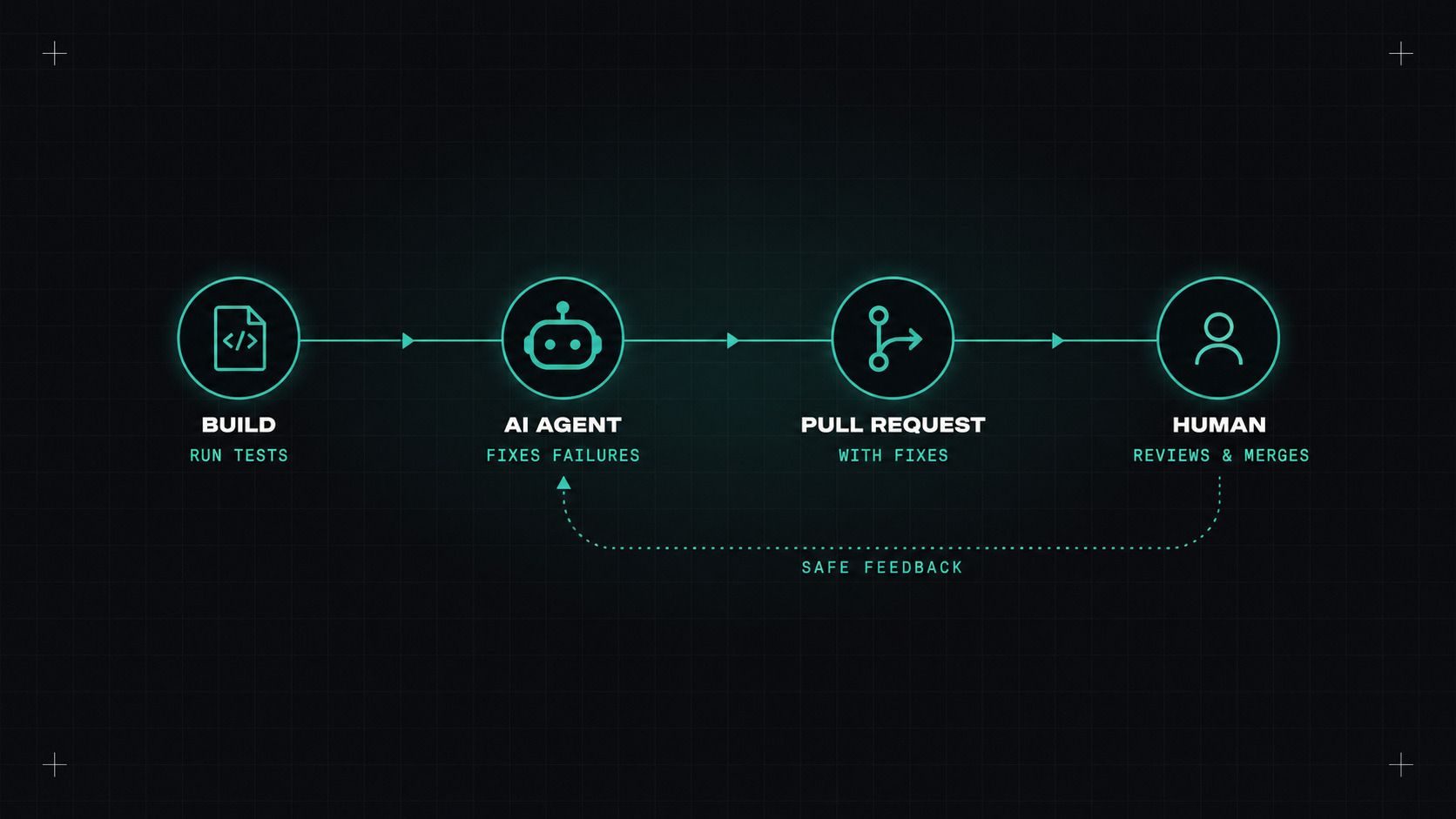
The pattern is: well-defined, easy to verify, and reviewed before it reaches production.
Fixing a failing build. "The pipeline fails on this test, find out why and propose a fix." The agent reads the logs, reproduces the failure, and suggests a change. A human reviews the pull request.
Dependency upgrades that need code changes. Renovate opens the upgrade, the tests fail because an API changed, the agent updates the call sites.
Boring infrastructure changes. Adding a new environment variable across services, updating resource requests in Helm values, renaming a label everywhere.
Writing first drafts. A new pipeline, a Dockerfile, a Terraform module skeleton, a runbook from an incident timeline.
Explaining and documenting. "What does this old script do?" turned into a README.
This is the part that matters most. My rules:
Treat an AI agent like a new contractor on their first day: helpful, eager, and with exactly the access the task needs, nothing more.
Agents are impressive, but I see the same failure patterns again and again:
* is always tempting.If you want to try this on your team, here's a safe starting point:
agent:fix to a failing PR.After a month you'll know where it actually saves time on your team, which beats any vendor benchmark.
Yes, for the right tasks. Agents remove a lot of small, annoying work, and they're getting better quickly. But the value depends entirely on the guardrails around them. Good tests, good reviews and narrow permissions turn an agent from a risk into a very productive teammate.
My take: let agents propose, let pipelines check, and let humans decide. Same rule as before, now with real tools behind it.
— Desly