Terraform state, explained
The file that knows everything about your infrastructure, and how to keep it safe.
The file that knows everything about your infrastructure, and how to keep it safe.
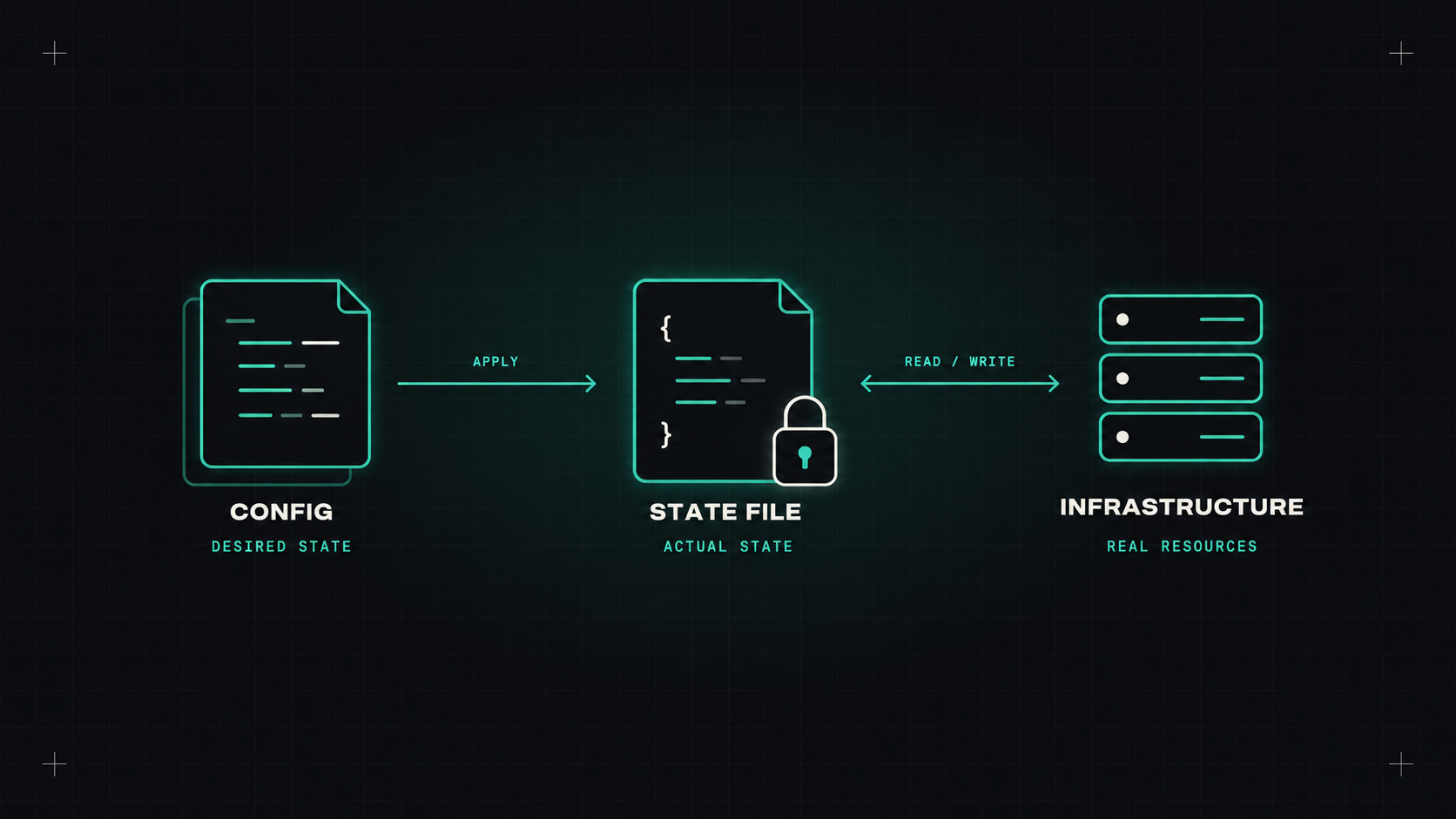
When people start with Terraform, they focus on the .tf files. The resources, the modules, the variables. The state file is just something that appears after the first apply, and most people don't think about it until something goes wrong.
And something always goes wrong eventually. A lost state file, a corrupted one, two people applying at once, a secret leaked through state. Understanding state is what separates using Terraform from trusting it. (OpenTofu works the same way.)
Terraform's state is a JSON file that maps your code to real-world resources.
When you write resource "aws_s3_bucket" "logs", Terraform needs to remember that this particular block corresponds to the bucket with ID acme-logs-prod in your AWS account. That mapping, plus the last known attributes of every resource, is the state.
Terraform uses it to:
Without state, Terraform doesn't know which resources it manages. Delete the state file, and Terraform will try to create everything again, while the old resources keep running, unmanaged.
For anything beyond a personal experiment, keep state in a remote backend with locking:
Locking prevents two people (or pipelines) from applying at the same time and corrupting state. Versioning on the bucket gives you history to recover from mistakes.
Your state file is the memory of your infrastructure. Lose it, and Terraform wakes up with amnesia in a house full of strangers.
State files often include secrets in plain text: database passwords, private keys, tokens, or anything a resource returns as an attribute. Even if you mark a variable as sensitive, it's hidden in the plan output, not in the state file.
Protect state like you protect secrets:
*.tfstate and *.tfstate.backup to .gitignore.Renaming a resource or moving it into a module changes its address. Without telling Terraform, it would destroy the old resource and create a new one. For a database, that's a disaster.
Modern Terraform handles this in code with moved blocks:
moved {
  from = aws_s3_bucket.logs
  to   = module.logging.aws_s3_bucket.this
}
The plan shows a move instead of destroy-and-create. Because it's in code, it's reviewed and works across every environment. Much safer than the older terraform state mv command.
To bring a manually created resource under Terraform's management, use import blocks:
import {
  to = aws_s3_bucket.legacy
  id = "acme-legacy-bucket"
}
Run terraform plan -generate-config-out=generated.tf and Terraform even writes a first draft of the resource configuration. Clean it up, plan again, and apply.
Sometimes you want Terraform to stop managing a resource without deleting it, for example when handing it over to another stack. Use a removed block:
removed {
  from = aws_s3_bucket.handover

  lifecycle {
    destroy = false
  }
}
The resource stays in the cloud. Terraform just forgets about it.
A few situations and what to do:
terraform force-unlock <lock-id>, but only after checking that nothing is actually running.terraform plan -refresh-only shows the differences, and terraform apply -refresh-only updates state to match reality without changing infrastructure.terraform state list and terraform state show <address> are safe, read-only ways to look inside.Avoid editing the JSON by hand. If you really must, take a backup first, and know that you're on your own.
Is every state file remote, locked, versioned, and encrypted? Who has access to production state? Are you still using state mv commands instead of moved blocks? Those three questions cover most of the risk.
My take: treat state as the most sensitive file in your infrastructure. Protect it, version it, and never let it live on a laptop.
— Desly