How I structure Terraform projects
Modules, environments and state, organised so the next person can understand them.
Modules, environments and state, organised so the next person can understand them.
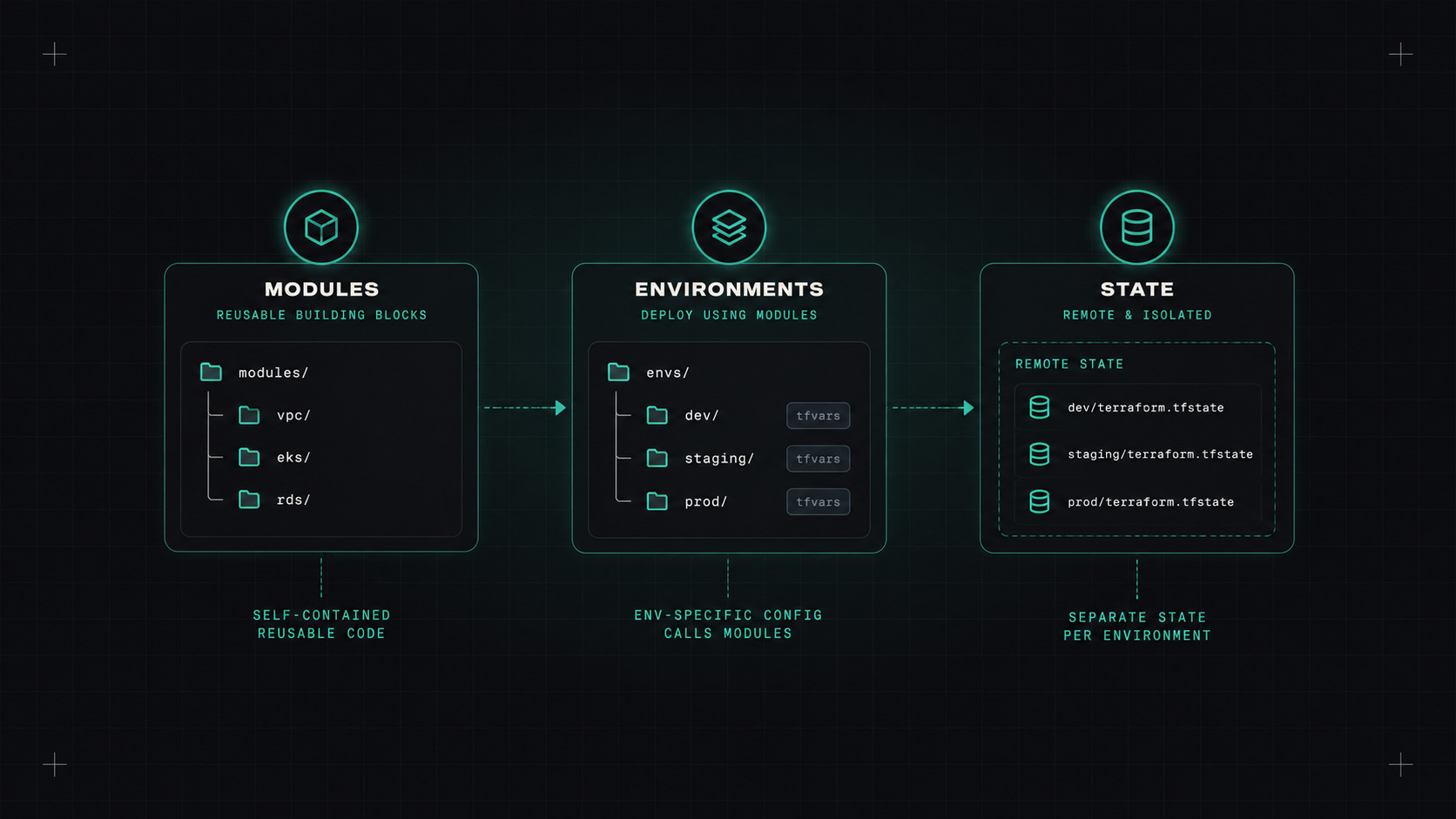
Every Terraform project starts clean. One folder, a main.tf, a few resources. Then a second environment arrives. Then a few more services, a shared network, a second region. Two years later, there's a 3,000-line main.tf, a state file nobody dares to touch, and a plan that takes ten minutes.
Structure makes the difference between infrastructure code that grows smoothly and code that becomes everyone's least favourite part of the repo. This is the layout I keep using. (Everything here works for OpenTofu too.)
infrastructure/
  modules/
    network/
    eks-cluster/
    rds-postgres/
  live/
    staging/
      network/
        main.tf
        backend.tf
        terraform.tfvars
      cluster/
      databases/
    production/
      network/
      cluster/
      databases/
modules/ contains reusable building blocks with no environment-specific values.live/ contains the actual deployments. Each folder is one state file, calling modules with environment-specific inputs.Later components can read outputs from earlier ones with terraform_remote_state or, better, by looking up resources with data sources or a shared parameter store.
Terraform has workspaces, which let one configuration have multiple states. It's tempting to use them for environments: terraform workspace select production.
I prefer separate folders for environments:
Workspaces are still handy for making many identical copies of the same thing, like a stack for each customer or for preview environments.
If you have to run a command to find out which environment you're about to change, the structure is working against you.
Never keep state on a laptop. Use a remote backend with locking:
terraform {
  backend "s3" {
    bucket       = "acme-terraform-state"
    key          = "production/network/terraform.tfstate"
    region       = "eu-central-1"
    encrypt      = true
    use_lockfile = true
  }
}
The S3 backend now supports native locking with a lock file, so the separate DynamoDB table is no longer required. Azure Storage and Google Cloud Storage backends lock natively too.
Protect the state bucket: versioning on, encryption on, access limited to the people and pipelines that need it. State often contains secrets.
The folder layout above has one annoying side effect: lots of repeated boilerplate. Every folder needs its backend config and provider config.
Tools that help:
For a small team, plain folders with a bit of repetition are fine. Once you have dozens of components, Terragrunt or a platform pays off.
Small things that save a lot of confusion:
<env>-<service>-<purpose>, like prod-shop-db.provider "aws" {
region = "eu-central-1"
default_tags {
tags = {
environment = "production"
owner = "team-platform"
managed_by = "terraform"
repository = "acme/infrastructure"
}
}
}
.terraform.lock.hcl file.terraform fmt -check, terraform validate, tflint).Keep state files small and separated by lifecycle and environment. Almost every other problem, slow plans, scary applies, merge conflicts, people blocking each other, gets easier once that's in place.
My take: structure your Terraform for the person who joins next year. If they can find their way around, you did it right.
— Desly