Requests and limits: the settings everyone gets wrong
Why your pod got killed, why it's slow, and whether CPU limits are a good idea at all.
Why your pod got killed, why it's slow, and whether CPU limits are a good idea at all.
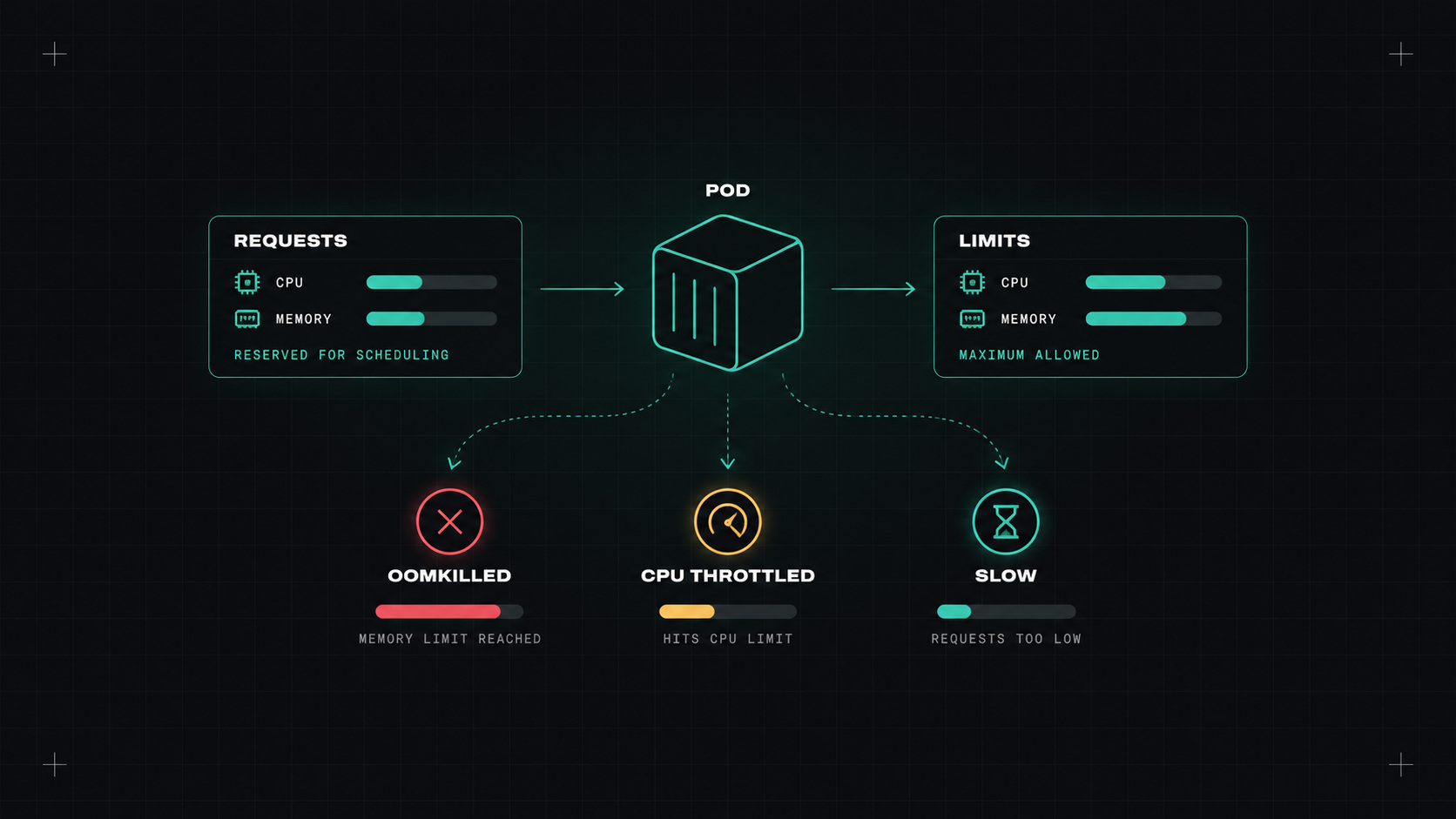
If I had to pick the one Kubernetes setting that causes the most confusion, it would be resource requests and limits. They look simple: a few numbers in a YAML file. But they decide where your pod runs, how fast it is, whether it gets killed, and how much your cluster costs.
Let's go through what they actually do.
resources:
  requests:
    cpu: 250m
    memory: 256Mi
  limits:
    cpu: "1"
    memory: 512Mi
Requests are what the pod is guaranteed. The scheduler uses them to decide which node has room. A node with 4 CPUs can fit pods whose CPU requests add up to about 4, regardless of how much they actually use.
Limits are the maximum the pod is allowed to use.
The key insight: CPU and memory behave completely differently when you hit the limit.
CPU is compressible. If a container tries to use more CPU than its limit, it gets throttled. It doesn't crash, it just slows down. The kernel only lets it run for a certain share of each time slice. This shows up as mysterious latency spikes, often without high average CPU usage.
Memory is not compressible. If a container uses more memory than its limit, the kernel kills it. That's the famous OOMKilled status. The pod restarts, and if it keeps happening, you see CrashLoopBackOff.
kubectl describe pod shop-api-7d9f
# Last State: Terminated
#   Reason:   OOMKilled
#   Exit Code: 137
There's also eviction: if a node runs out of memory overall, the kubelet evicts pods, starting with those using the most beyond their requests.
Kubernetes puts every pod in one of three Quality of Service classes, based on its requests and limits:
For important services, avoid BestEffort. For critical workloads, consider Guaranteed for memory at least.
Requests decide where your pod lives. Limits decide how it dies.
This is where engineers argue. Should you set CPU limits at all?
The case against CPU limits: throttling hurts latency, sometimes even when the node has plenty of idle CPU. Without a limit, a pod can use spare CPU when it's available, and requests still guarantee everyone their fair share under contention. Many experienced teams set CPU requests but no CPU limits.
The case for CPU limits: predictability. In multi-tenant clusters, or when you need to prevent one noisy workload from hogging everything, limits give hard boundaries. Some runtimes and licensing models also depend on them.
My default: always set CPU requests, set memory requests and memory limits, and only set CPU limits when there's a specific reason. For memory, I usually set the limit equal to the request, or close to it, so pods don't get surprise-evicted.
Guessing is how most teams start, and it's usually wrong in both directions: some pods starve, others reserve resources they never use (and you pay for that).
Better approaches:
container_cpu_cfs_throttled_periods_total metric. High throttling with low average usage is a sign the CPU limit is too tight.To stop pods without any settings from sneaking in:
Check which of your workloads have no requests at all. Fix those first. Then look at OOMKills and throttling metrics, and adjust based on real data instead of guesses.
My take: set requests honestly, treat memory limits with respect, and think twice before throttling your own CPU.
— Desly