Networking basics every DevOps engineer needs
DNS, TLS, load balancers and subnets, explained the way I wish someone had explained them to me.
DNS, TLS, load balancers and subnets, explained the way I wish someone had explained them to me.
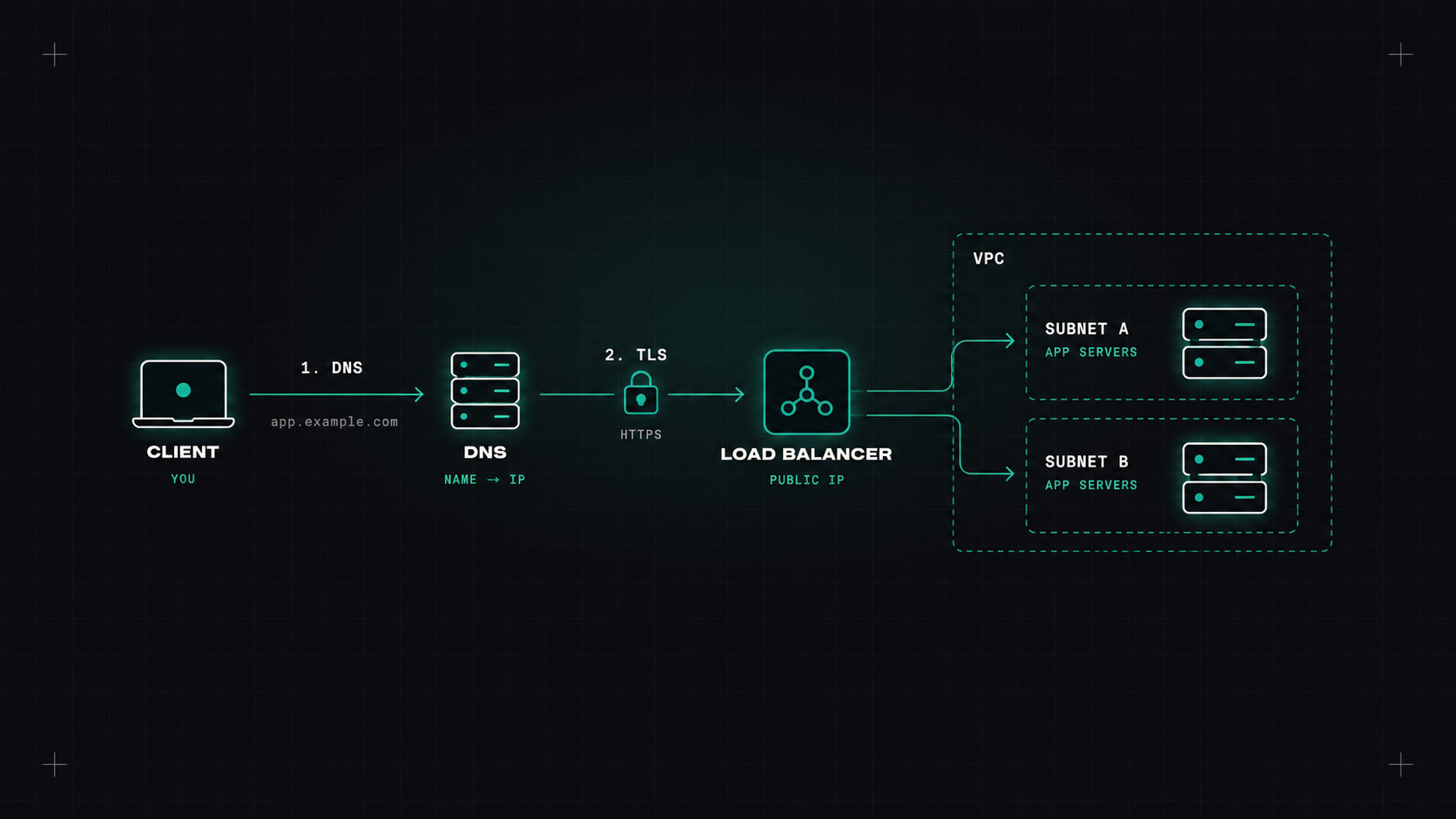
If I look back at the hardest problems I've debugged, a surprising number were networking problems in disguise. "The app is slow" turned out to be DNS. "The deployment failed" turned out to be a security group. "Kubernetes is broken" turned out to be overlapping IP ranges.
You don't need to be a network engineer to work in DevOps. But you do need a solid mental model of how packets get from A to B. Here's the version I wish I'd had at the start.
You'll hear about the OSI model with seven layers. In daily DevOps work, four ideas matter most:
When something doesn't work, I go up the layers: can I reach the IP? Is the port open? Does TLS work? Does HTTP return the right response?
An IP address like 10.0.12.34 belongs to a subnet, written in CIDR notation: 10.0.0.0/16 means "all addresses where the first 16 bits are 10.0", which is 65,536 addresses.
/16: 65,536 addresses/20: 4,096/24: 256/28: 16Private ranges (10.0.0.0/8, 172.16.0.0/12, 192.168.0.0/16) are used inside networks and aren't reachable from the internet directly. NAT (Network Address Translation) lets machines with private addresses reach the internet through a shared public address.
The most common mistake I see: overlapping ranges. Two VPCs both using 10.0.0.0/16 can never be connected. Kubernetes pod and service ranges that overlap with your office VPN cause mysterious failures. Plan IP ranges centrally, early.
DNS translates names (shop.example.com) into addresses. It's involved in almost every request, which is why "it's always DNS" is a running joke.
Key concepts:
dig shop.example.com +short
dig shop.example.com +trace     # follow the lookup from the root servers
When something works by IP but not by name, it's DNS. When it works sometimes but not always, it's probably also DNS.
TLS does two things: encrypts traffic and proves identity. The server presents a certificate, signed by a certificate authority (CA) the client trusts, saying "I am shop.example.com".
Common problems:
www.example.com, but you called example.com.openssl s_client -connect shop.example.com:443 -servername shop.example.com </dev/null | openssl x509 -noout -dates -subject
A load balancer spreads traffic across multiple backends and hides failures:
They rely on health checks to know which backends are healthy. A wrong health check path is a very common reason for "all backends unhealthy".
A typical VPC design:
Leave room to grow: give your VPC a large range and Kubernetes plenty of pod IPs, especially with CNIs that assign VPC addresses to pods.
| Question | Tool |
|---|---|
| What's my IP and route? | ip a, ip r |
| Does the name resolve? | dig, nslookup |
| Is the host reachable? | ping, mtr |
| Is the port open? | nc -zv host port |
| What's listening locally? | ss -tulpn |
| Does HTTP/TLS work? | curl -v |
| What's actually on the wire? | tcpdump, Wireshark |
And one more question that saves a lot of time: from where am I testing? Your laptop, a pod, a node and a CI runner can all see very different networks.
Learn CIDR until subnetting feels natural, understand how DNS resolution works in your environment (especially in Kubernetes), and practise debugging with dig, nc, curl and ss. That foundation will save you countless hours.
My take: networking isn't magic, it's just layers. Learn to check them one at a time, and most mysteries solve themselves.
— Desly