Locking down GitHub Actions after real attacks
One compromised action leaked secrets from thousands of repos. What I changed in mine.
One compromised action leaked secrets from thousands of repos. What I changed in mine.
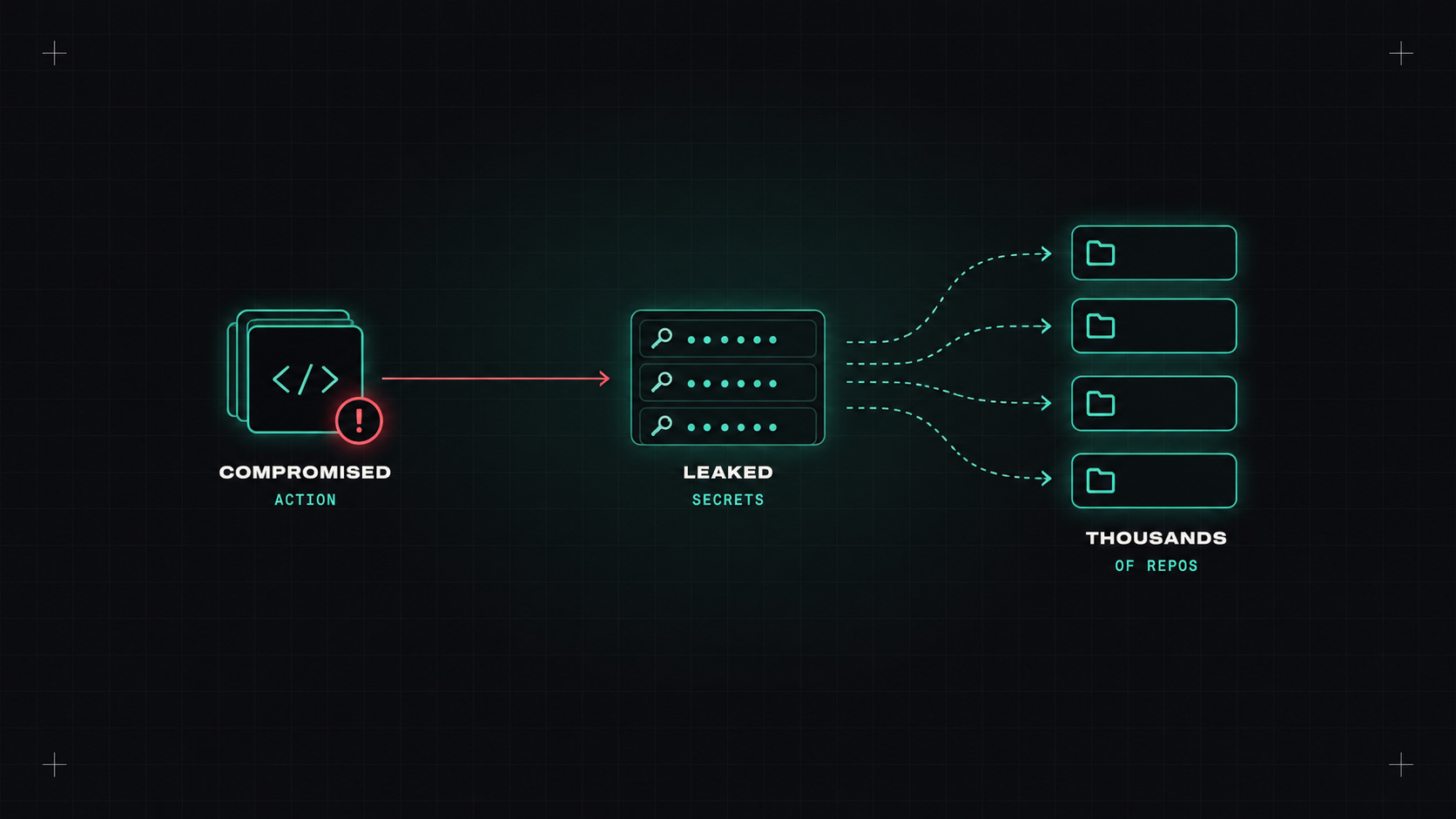
For a long time, I treated GitHub Actions workflows as plumbing. Copy a workflow from a README, add uses: some-org/some-action@v3, and move on. Most of us did.
In March 2025, the popular tj-actions/changed-files action was hacked. Attackers changed its version tags to point at malicious code that leaked CI secrets into build logs. Thousands of repos used it. Many had public logs. It was a wake-up call: our pipelines run third-party code with access to our most sensitive credentials, and we rarely think about it.
Here's what I changed, and what I'd recommend to anyone using Actions.
When you write uses: tj-actions/changed-files@v45, v45 is a Git tag. Tags can be moved. If an attacker gets write access to the action's repository, they can point existing tags at a malicious commit. Every workflow using that tag runs the new code on its next run, without any change in your repository.
The investigation later showed the hack was itself linked to another compromised action. Supply chain attacks chain.
Your pipeline is only as trustworthy as the least trustworthy action it runs.
Instead of a tag, reference the exact commit:
# Before
- uses: actions/checkout@v4

# After
- uses: actions/checkout@11bd71901bbe5b1630ceea73d27597364c9af683 # v4.2.2
A commit SHA can't be moved. Keep the version as a comment so humans can read it, and let Dependabot or Renovate update the SHA (and the comment) when a new version is released, through a normal pull request you can review.
GitHub also lets organisations enforce SHA pinning in their allowed actions policy, so unpinned actions fail.
Every workflow gets an automatic GITHUB_TOKEN. Its default permissions depend on your settings, and in older repositories they're often far too broad.
Set the organisation or repository default to read-only, and grant only what each workflow needs:
permissions:
  contents: read

jobs:
  release:
    permissions:
      contents: write   # only this job can push tags
A leaked read-only token is a much smaller problem than a leaked write token.
The secrets that leaked in these attacks were often cloud access keys that are valid until someone rotates them. Replace them with OIDC: the workflow requests a short-lived token from GitHub, and your cloud provider exchanges it for temporary credentials, but only for the specific repository and branch you allow.
permissions:
  id-token: write
  contents: read

steps:
  - uses: aws-actions/configure-aws-credentials@<sha> # v4
    with:
      role-to-assume: arn:aws:iam::123456789012:role/deploy-shop
      aws-region: eu-central-1
AWS, Azure, Google Cloud, HashiCorp Vault and many others support this. No secret to steal, and the token expires in minutes.
pull_request_target and workflow_run run with access to secrets, even for pull requests from forks. Combined with checking out the untrusted code from the pull request, they're a classic way for attackers to steal secrets. Avoid them unless you really understand the risk.
Also watch out for script injection: using untrusted input like a pull request title directly in a run: step.
# Dangerous: the title can contain shell commands
- run: echo "${{ github.event.pull_request.title }}"

# Safer: pass it through an environment variable
- env:
    TITLE: ${{ github.event.pull_request.title }}
  run: echo "$TITLE"
In organisation settings, allow only:
Fewer third-party actions means fewer things that can be compromised. For simple tasks, a few lines of shell are often safer than an action.
Add zizmor to your CI and fix what it finds. It's an eye-opening first run.
If you only do three things this week: set the default token to read-only, pin your third-party actions to SHAs with Renovate updating them, and replace one long-lived cloud key with OIDC. Then run zizmor and work through the list.
My take: CI pipelines hold the keys to everything. Treat every uses: line like a dependency, because that's exactly what it is.
— Desly