ഞാൻ എല്ലാ ദിവസവും ഉപയോഗിക്കുന്ന ലിനക്സ് കമാൻഡുകൾ
എന്റെ മിക്ക പ്രശ്നപരിഹാരങ്ങളും ഉൾക്കൊള്ളുന്ന ഒരു ലിസ്റ്റ്, ഒപ്പം ഒരു ചീറ്റ് ഷീറ്റും.
എന്റെ മിക്ക പ്രശ്നപരിഹാരങ്ങളും ഉൾക്കൊള്ളുന്ന ഒരു ലിസ്റ്റ്, ഒപ്പം ഒരു ചീറ്റ് ഷീറ്റും.
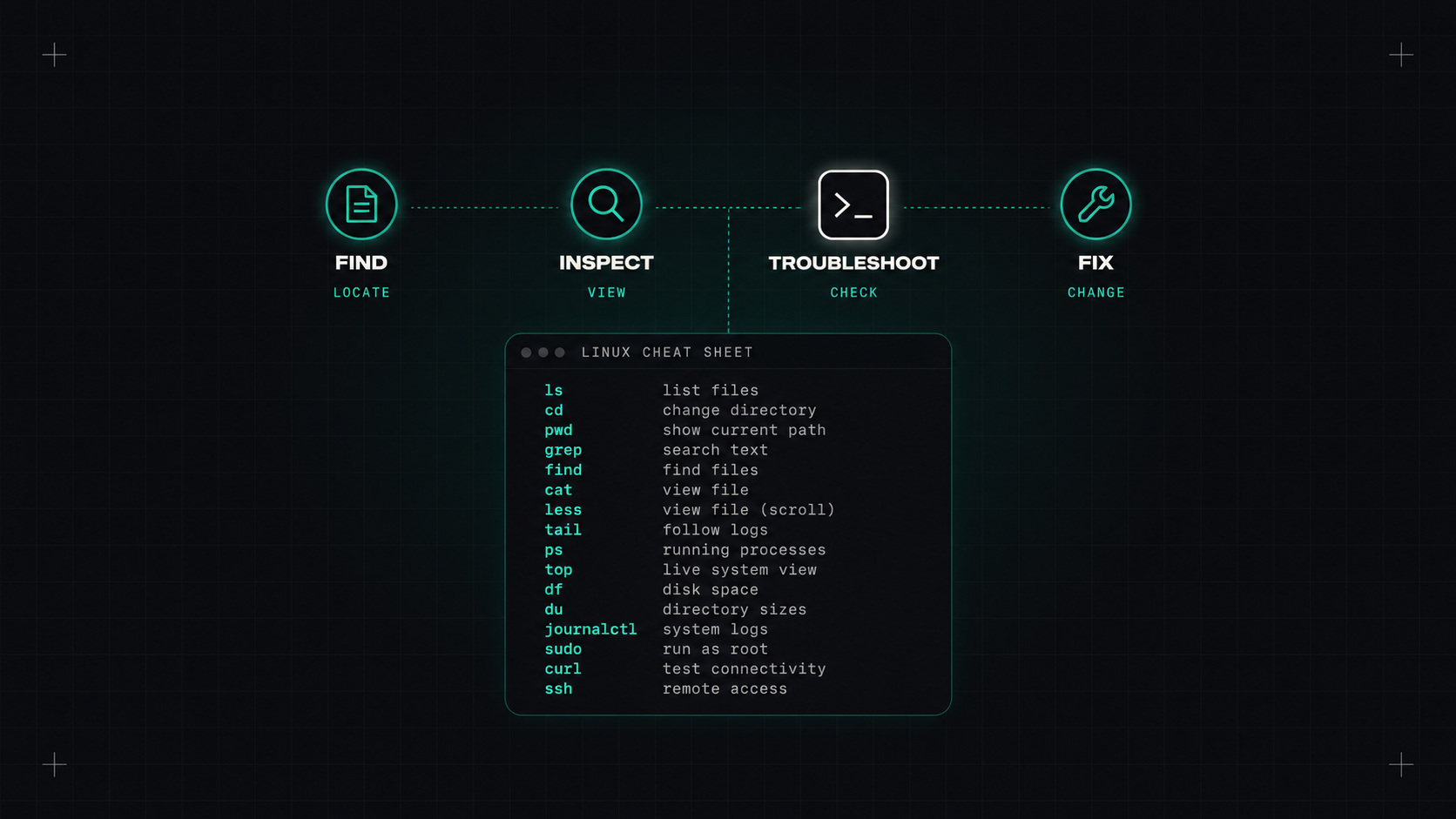
കുബർനെറ്റുകളും ക്ലൌഡ് കൺസോളുകളും നല്ല ഡാഷ്ബോർഡുകളും. പക്ഷെ എന്തെങ്കിലും ശരിക്കും കുഴപ്പമുണ്ടായാൽ, താമസിയാതെ ഞാൻ ഒരു ലിനക്സ് മെഷീനില് ഒരു ടെർമിനലിലോ, അല്ലെങ്കിൽ ഒരു കണ്ടെയ്നറിലോ ആയിത്തീരും, വർഷങ്ങളായി ഉപയോഗിക്കുന്ന അതേ കമാൻഡുകൾ ടൈപ്പുചെയ്യുന്നു.
നൂറുകണക്കിന് കമാൻഡുകൾ അറിയേണ്ട കാര്യമില്ല. ശരിയായ ഇരുപതോ മുപ്പതോ പേരെ നന്നായി അറിയണം. ഇതാ എന് റെ കയ്യിലുള്ളത്.
എന്താണ് വിഭവങ്ങൾ പ്രവർത്തിപ്പിക്കുകയും ഉപയോഗിക്കുകയും ചെയ്യുന്നത്?
top                 # live view of CPU, memory and processes (press 1 for per-CPU, M to sort by memory)
htop                # friendlier version, if installed
ps aux --sort=-%mem | head   # top memory users
ps -ef | grep nginx          # find a specific process
pgrep -a java                # same, simpler
സിസ്റ്റം ഡി ഉള്ള സേവനങ്ങള്:
systemctl status nginx       # is it running? recent log lines too
systemctl restart nginx
systemctl list-units --failed   # what's broken?
journalctl -u nginx -f       # follow a service's logs
journalctl -u nginx --since "1 hour ago"
journalctl -p err -b         # all errors since last boot
ചിലതൊക്കെ നിർത്തുന്നു:
kill <pid>          # polite request to stop (SIGTERM)
kill -9 <pid>       # force (SIGKILL), only when the polite way fails
ഡിസ്ക് സ്പേസ് തീരാത്തത് ഏറ്റവും സാധാരണമായ പ്രശ്നമാണ്. ഇവയെല്ലാം വേഗം കണ്ടെത്തുന്നു:
df -h                        # free space per filesystem
df -i                        # free inodes (yes, you can run out of these too)
du -sh /var/* | sort -h      # which folders are big?
ncdu /var                    # interactive disk usage browser, if installed
lsof +L1                     # deleted files still held open (space not freed until process restarts)
ഫയലുകൾ കണ്ടെത്താനും വായിക്കാനും:
find /var/log -name "*.log" -mtime -1      # logs modified in the last day
find / -size +1G 2>/dev/null               # files larger than 1 GB
tail -f /var/log/syslog                    # follow a log
less +F app.log                            # follow, but can scroll back (Ctrl+C, then F again)
grep -ri "error" /var/log/app/             # search recursively, case-insensitive
grep -c "500" access.log                   # count matching lines
മിക്ക ഉല്പാദന പ്രശ്നങ്ങളും വിരസമാണ്: ഒരു ഡിസ്ക് നിറഞ്ഞിരിക്കുന്നു, ഒരു പ്രക്രിയ തകർന്നു, തെറ്റായ അനുമതി, ഒരു തുറമുഖം അടച്ചു. വിരസമായ പ്രശ്നങ്ങൾ വേഗത്തിൽ കണ്ടെത്തുന്ന കമാൻഡുകളാണ് ഏറ്റവും വിലപ്പെട്ടവ.
free -h             # memory and swap usage
vmstat 1            # CPU, memory, swap, I/O every second
iostat -xz 1        # disk I/O per device (from sysstat)
uptime              # load average
dmesg -T | tail     # kernel messages, including OOM kills and hardware errors
ഒരു ചെറിയ ഉപദേശം: free "ബഫ്/കാഷെ" എന്നതിനുള്ള മെമ്മറി കാണിക്കുന്നു. അത് സാധാരണമാണ്. ലിനക്സ് കാഷിംഗിനായി സ്വതന്ത്ര മെമ്മറി ഉപയോഗിക്കുന്നു, ആവശ്യമുള്ളപ്പോൾ അത് തിരികെ നൽകുന്നു. പകരം "സൌകര്യപ്രദമാണ്" എന്ന് നോക്കുക.
ഒരു പ്രക്രിയ വളരെ അധികം മെമ്മറി ഉപയോഗിച്ചതിന് മരിച്ചാൽ, dmesg -T | grep -i oom സാധാരണയായി വിശദാംശങ്ങള് തരുന്നു.
ip a                         # IP addresses of all interfaces
ip r                         # routing table
ss -tulpn                    # which ports are listening, and by which process
ss -tan state established    # active TCP connections
curl -v https://example.com  # full HTTP request with headers and TLS info
curl -o /dev/null -s -w "%{http_code} %{time_total}\n" https://example.com   # status and timing
dig example.com +short       # DNS lookup
dig @8.8.8.8 example.com     # ask a specific DNS server
nc -zv db.internal 5432      # is the port reachable?
mtr example.com              # traceroute and ping combined
tcpdump -i any port 443 -nn  # capture packets (needs root)
ss -tulpn ഒന്നുകിൽ ആ പോർട്ടിൽ ഒന്നും കേൾക്കുന്നില്ല, അല്ലെങ്കിൽ എല്ലാ ഇന്റർഫേസുകളിലും കേൾക്കുന്നില്ല.
whoami && id                 # who am I, what groups?
sudo -l                      # what am I allowed to run with sudo?
ls -la                       # permissions, owners, hidden files
chmod 640 file && chown app:app file
namei -l /path/to/file       # permissions of every directory along a path
namei -l ഒരു ഫയൽ വായിക്കാൻ കഴിയാത്ത ഒരു സേവനമാണ് ഒരു മറഞ്ഞിരിക്കുന്ന രത്നം, എന്തുകൊണ്ടെന്ന് നിങ്ങൾക്ക് മനസ്സിലാകുന്നില്ല. പലപ്പോഴും അത് ഒരു രക്ഷക ഡയറക്ടറിയാണ്, എക്സിക്യൂട്ട് അനുമതിയില്ലാതെ.
awk '{print $1}' access.log | sort | uniq -c | sort -rn | head   # top client IPs
cut -d: -f1 /etc/passwd                                         # first field
sed -n '100,120p' big.log                                       # lines 100 to 120
jq '.items[].metadata.name'                                     # parse JSON
wc -l file                                                      # count lines
പഠനം awk, sort, uniq ഒപ്പം jq ലോഗ് ഫയലുകളെ ഉത്തരങ്ങളാക്കി മാറ്റുന്നു.
Ctrl+R നിങ്ങളുടെ കമാന് ഡ് ചരിത്രം പരിശോധിക്കുന്നു.!! അവസാനത്തെ കമാൻഡ് ആവർത്തിക്കുന്നു (sudo !! സഡോ മറന്നുപോയപ്പോൾ).tmux അല്ലെങ്കില് screen നിങ്ങളുടെ കണക്ഷൻ നഷ്ടപ്പെട്ടാൽ സെഷനുകൾ സജീവമായി നിലനിർത്തുക.watch -n 2 'kubectl get pods' ഓരോ രണ്ട് സെക്കന്റിലും ഒരു കമാൻഡ് റീറൺ ചെയ്യുന്നു.man ഒപ്പം tldr ഉദാഹരണങ്ങളിലൂടെ പെട്ടെന്ന് സഹായിക്കാന്.| പ്രശ്നം | ആദ്യ കമാന് ഡുകള് |
|---|---|
| സേവനം നിലച്ചു. | systemctl status, journalctl -u <svc> -n 100 |
| ഡിസ്ക് നിറഞ്ഞിരിക്കുന്നു | df -h, du -sh /* \| sort -h, lsof +L1 |
| ഉയർന്ന സിപിയു | top, ps aux --sort=-%cpu \| head |
| ഓർമ്മയിൽ നിന്നും | free -h, dmesg -T \| grep -i oom |
| കണക്ട് ചെയ്യാൻ പറ്റുന്നില്ല. | ss -tulpn, nc -zv host port, curl -v |
| DNS പ്രശ്നങ്ങൾ | dig name, cat /etc/resolv.conf |
| വേഗത കുറഞ്ഞ ഡിസ്ക് | iostat -xz 1, vmstat 1 |
| അനുമതി നിഷേധിച്ചു | id, ls -la, namei -l path |
| ബൂട്ടില് സംഭവിച്ചത് | journalctl -b -p err, dmesg -T |
എന്റെ അഭിപ്രായം: ഉപകരണങ്ങൾ വന്നു പോകുന്നു, പക്ഷേ ലിനക്സ് കമാൻഡ് ലൈൻ ഇപ്പോഴും പ്രശ്നങ്ങളുടെ അവസാനത്തെ ഏറ്റുപറയലാണ്. ഇവ നന്നായി പഠിച്ചാൽ ഏത് സെർവറിലും നിങ്ങൾക്ക് സുഖം തോന്നും.
ഡെസ്ലി