Samsung Odyssey G7 37", six months later
PS5 Pro gaming, photo editing, movies and work on one curved 4K screen. Brilliant picture, frustrating ports.
PS5 Pro gaming, photo editing, movies and work on one curved 4K screen. Brilliant picture, frustrating ports.
PS5-Pro-Gaming, Fotobearbeitung, Filme und Arbeit auf einem gebogenen 4K-Bildschirm. Brillantes Bild, frustrierende Anschlüsse.
PS5 Pro ഗെയിമിംഗ്, ഫോട്ടോ എഡിറ്റിംഗ്, സിനിമകൾ, ജോലി, എല്ലാം ഒരു വളഞ്ഞ 4K സ്ക്രീനിൽ. ഉജ്ജ്വലമായ ചിത്രം, നിരാശപ്പെടുത്തുന്ന പോർട്ടുകൾ.
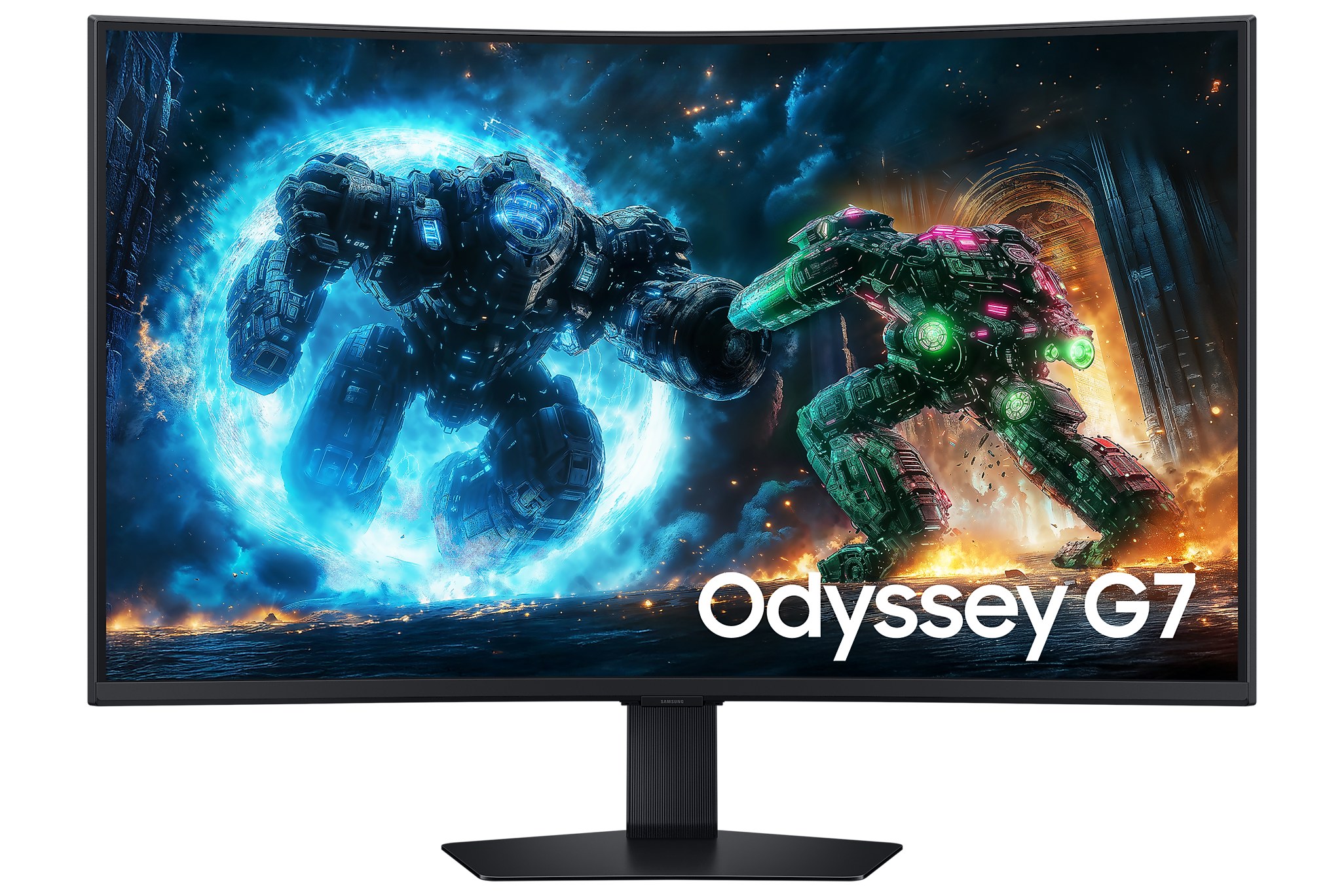
For the past six months, the Samsung Odyssey G7 37-inch has been the centre of my desk. It's where I play on my PS5 Pro, edit my photos, watch movies, and do my actual work. One screen doing four jobs, and doing them all well. That's the short version.
The longer version has a couple of "I wish Samsung had…" moments, mostly about ports. But first, the good stuff, because there's a lot of it.
37 inches is a sweet spot I didn't know I wanted. It's big enough to feel immersive, but not so big that I'm turning my head to read a menu. The 1000R curve wraps the edges slightly towards you, so at this size everything stays comfortably in view.
And it's 4K. At 37 inches, text is crisp, photos are sharp right down to the fine detail, and you can fit a lot on screen when working. After using it for a while, going back to a lower-resolution screen feels blurry.
One screen, four jobs: gaming, editing, movies and work. It handles all of them.
Gaming is where it really shines. Motion looks smooth, and with HDR turned on, games look properly vivid. The panel goes up to 165Hz, which you'll see on a PC. The PS5 Pro itself tops out at 120Hz, so that's what you get from the console, and it still looks great. Both HDMI ports are HDMI 2.1, which is what you need for 4K at high refresh rates from a modern console.
As someone who edits a lot of photos, colour matters to me, and I'm happy with it. Colours look rich and accurate, and HDR content has real punch. Samsung quotes 90% DCI-P3 and 99% sRGB coverage, and in practice my edits look the way I expect when I check them on other screens.
One small thing for photographers: on a curved screen, perfectly straight lines can look slightly bent at the edges. It's not a problem for normal editing, but for very precise architectural work, I double-check on a flat screen.
Movies look fantastic on it, especially in a dark room where the VA panel's deep contrast helps. For work, the sheer amount of space at 4K means two windows side by side without squinting. I switch between my PC and my Mac, and having two HDMI ports plus DisplayPort makes that easy enough.
This is my main complaint. The ports are limited. You get two HDMI 2.1, one DisplayPort 1.4, a small USB hub and a headphone jack. That's it. With a PC, a Mac and a PS5 Pro all wanting a connection, I run out of inputs quickly.
There's also no eARC, and the monitor has no built-in speakers at all. On a TV, eARC lets you send audio from everything plugged into the screen straight to a soundbar with one cable. Here, getting sound from all my devices to my Samsung soundbar takes more planning than it should. If you're building a setup like mine, think about your audio routing before you buy.
| Model | Odyssey G7 G75F, 37" (LS37FG750EW) |
|---|---|
| Panel | 37" curved VA, 1000R |
| Resolution | 4K UHD, 3840 × 2160, 16:9 |
| Refresh & response | Up to 165Hz, 1ms (GtG) |
| Brightness & contrast | 350 nits typical, 3000:1 static contrast |
| HDR | VESA DisplayHDR 600, HDR10+ Gaming |
| Colour | 1.07 billion colours, 90% DCI-P3, 99% sRGB |
| Adaptive sync | AMD FreeSync Premium Pro |
| Ports | 2× HDMI 2.1, 1× DisplayPort 1.4, USB hub (1 upstream, 2× USB-A 3.2), headphone out |
| USB-C | No |
| Speakers | None |
| Stand | Height 120 mm, tilt −5° to 20°, swivel ±20°, VESA 100 × 100 |
| Size & weight | 81.6 × 67.4 × 30.4 cm with stand, 11.2 kg |
| Extras | Picture-in-Picture, Auto Source Switch+, Black Equalizer, Eye Saver Mode, Flicker Free, CoreSync lighting |
Specifications from Samsung's official product page. Response time is measured in Extreme mode.
If you want one big, sharp screen for gaming, editing, movies and work, and you're mostly connecting one or two devices, the Odyssey G7 37" is an easy recommendation. If you have a lot of devices, need USB-C for a laptop, or want simple one-cable audio to a soundbar, check the ports carefully first.
Six months in, the picture still impresses me every day. More ports and eARC would have made it an 8 or higher.
View the Odyssey G7 37" on Samsung.com ↗
— Desly
In den letzten sechs Monaten war der Samsung Odyssey G7 mit 37 Zoll das Zentrum meines Schreibtischs. Hier spiele ich auf meiner PS5 Pro, bearbeite meine Fotos, schaue Filme und mache meine eigentliche Arbeit. Ein Bildschirm, vier Aufgaben, und alle gut erledigt. Das ist die Kurzfassung.
Die längere Fassung hat ein paar „Ich wünschte, Samsung hätte…“-Momente, vor allem bei den Anschlüssen. Aber zuerst das Gute, denn davon gibt es viel.
37 Zoll sind ein Sweet Spot, von dem ich nicht wusste, dass ich ihn will. Groß genug, um mitzureißen, aber nicht so groß, dass ich den Kopf drehen muss, um ein Menü zu lesen. Die 1000R-Krümmung zieht die Ränder leicht zu dir, sodass bei dieser Größe alles bequem im Blick bleibt.
Und er ist 4K. Bei 37 Zoll ist Text gestochen scharf, Fotos sind bis ins feinste Detail klar, und beim Arbeiten passt viel auf den Bildschirm. Nach einer Weile wirkt ein Bildschirm mit niedrigerer Auflösung verschwommen.
Ein Bildschirm, vier Aufgaben: Gaming, Bearbeitung, Filme und Arbeit. Er schafft sie alle.
Beim Gaming glänzt er richtig. Bewegungen wirken flüssig, und mit HDR sehen Spiele richtig lebendig aus. Das Panel schafft bis zu 165Hz, was man am PC sieht. Die PS5 Pro selbst kommt auf maximal 120Hz, das liefert die Konsole, und es sieht trotzdem großartig aus. Beide HDMI-Anschlüsse sind HDMI 2.1, und genau das braucht man für 4K mit hoher Bildwiederholrate von einer modernen Konsole.
Als jemand, der viele Fotos bearbeitet, sind mir Farben wichtig, und ich bin zufrieden. Die Farben wirken satt und genau, und HDR-Inhalte haben richtig Wumms. Samsung gibt 90 % DCI-P3 und 99 % sRGB an, und in der Praxis sehen meine Bearbeitungen auf anderen Bildschirmen so aus, wie ich es erwarte.
Eine Kleinigkeit für Fotografen: Auf einem gebogenen Bildschirm können perfekt gerade Linien an den Rändern leicht gebogen wirken. Für normale Bearbeitung ist das kein Problem, aber bei sehr präziser Architekturarbeit prüfe ich noch einmal auf einem flachen Bildschirm.
Filme sehen darauf fantastisch aus, besonders in einem dunklen Raum, wo der tiefe Kontrast des VA-Panels hilft. Für die Arbeit bedeutet der viele Platz in 4K zwei Fenster nebeneinander, ohne die Augen zusammenzukneifen. Ich wechsle zwischen PC und Mac, und zwei HDMI-Anschlüsse plus DisplayPort machen das einfach genug.
Das ist mein Hauptkritikpunkt. Die Anschlüsse sind begrenzt. Zwei HDMI 2.1, ein DisplayPort 1.4, ein kleiner USB-Hub und eine Kopfhörerbuchse. Das war's. Wenn PC, Mac und PS5 Pro alle angeschlossen werden wollen, gehen die Eingänge schnell aus.
Außerdem gibt es kein eARC, und der Monitor hat überhaupt keine eingebauten Lautsprecher. An einem Fernseher schickt eARC den Ton aller angeschlossenen Geräte mit einem Kabel direkt an die Soundbar. Hier braucht es mehr Planung als nötig, um den Ton aller Geräte zu meiner Samsung-Soundbar zu bringen. Wenn du ein Setup wie meins baust, überleg dir vor dem Kauf, wie du den Ton führst.
| Modell | Odyssey G7 G75F, 37" (LS37FG750EW) |
|---|---|
| Panel | 37" gebogenes VA, 1000R |
| Auflösung | 4K UHD, 3840 × 2160, 16:9 |
| Bildrate & Reaktionszeit | Bis zu 165Hz, 1 ms (GtG) |
| Helligkeit & Kontrast | Typisch 350 Nits, statischer Kontrast 3000:1 |
| HDR | VESA DisplayHDR 600, HDR10+ Gaming |
| Farbe | 1,07 Milliarden Farben, 90 % DCI-P3, 99 % sRGB |
| Adaptive Sync | AMD FreeSync Premium Pro |
| Anschlüsse | 2× HDMI 2.1, 1× DisplayPort 1.4, USB-Hub (1 Upstream, 2× USB-A 3.2), Kopfhörerausgang |
| USB-C | Nein |
| Lautsprecher | Keine |
| Standfuß | Höhe 120 mm, Neigung −5° bis 20°, Schwenk ±20°, VESA 100 × 100 |
| Maße & Gewicht | 81,6 × 67,4 × 30,4 cm mit Standfuß, 11,2 kg |
| Extras | Picture-in-Picture, Auto Source Switch+, Black Equalizer, Eye Saver Mode, Flicker Free, CoreSync-Beleuchtung |
Daten von Samsungs offizieller Produktseite. Die Reaktionszeit wurde im Extreme-Modus gemessen.
Wenn du einen großen, scharfen Bildschirm für Gaming, Bearbeitung, Filme und Arbeit willst und meistens ein oder zwei Geräte anschließt, ist der Odyssey G7 37" eine leichte Empfehlung. Wenn du viele Geräte hast, USB-C für einen Laptop brauchst oder einfachen Ton per Kabel an eine Soundbar willst, prüf die Anschlüsse vorher genau.
Nach sechs Monaten beeindruckt mich das Bild immer noch jeden Tag. Mehr Anschlüsse und eARC hätten ihn zu einer 8 oder mehr gemacht.
Odyssey G7 37" auf Samsung.com ansehen ↗
— Desly
കഴിഞ്ഞ ആറ് മാസമായി Samsung Odyssey G7 37-ഇഞ്ചാണ് എന്റെ മേശയുടെ കേന്ദ്രം. എന്റെ PS5 Pro-യിൽ കളിക്കുന്നതും, ഫോട്ടോകൾ എഡിറ്റ് ചെയ്യുന്നതും, സിനിമ കാണുന്നതും, യഥാർത്ഥ ജോലി ചെയ്യുന്നതും ഇവിടെയാണ്. നാല് ജോലികൾ ചെയ്യുന്ന ഒരു സ്ക്രീൻ, എല്ലാം നന്നായി ചെയ്യുന്നു. അതാണ് ചുരുക്കം.
വിശദമായ പതിപ്പിൽ "Samsung ഇത് ചെയ്തിരുന്നെങ്കിൽ…" എന്ന് തോന്നുന്ന ചില നിമിഷങ്ങളുണ്ട്, കൂടുതലും പോർട്ടുകളെക്കുറിച്ച്. പക്ഷേ ആദ്യം നല്ല കാര്യങ്ങൾ, കാരണം അവ ഒരുപാടുണ്ട്.
എനിക്ക് വേണമെന്ന് ഞാൻ അറിയാതിരുന്ന ഒരു സ്വീറ്റ് സ്പോട്ടാണ് 37 ഇഞ്ച്. മുഴുകിപ്പോകാൻ വേണ്ടത്ര വലുത്, പക്ഷേ ഒരു മെനു വായിക്കാൻ തല തിരിക്കേണ്ടിവരുന്നത്ര വലുതല്ല. 1000R വളവ് അരികുകളെ അൽപ്പം നിങ്ങളിലേക്ക് ചേർക്കുന്നു, അതുകൊണ്ട് ഈ വലിപ്പത്തിൽ എല്ലാം സുഖമായി കാഴ്ചയിൽ നിൽക്കും.
പിന്നെ ഇത് 4K ആണ്. 37 ഇഞ്ചിൽ അക്ഷരങ്ങൾ വ്യക്തമാണ്, ഫോട്ടോകൾ സൂക്ഷ്മ വിശദാംശങ്ങൾ വരെ ഷാർപ്പാണ്, ജോലി ചെയ്യുമ്പോൾ സ്ക്രീനിൽ ഒരുപാട് ഒതുക്കാം. കുറച്ചുകാലം ഉപയോഗിച്ചശേഷം, കുറഞ്ഞ റെസല്യൂഷനുള്ള സ്ക്രീനിലേക്ക് മടങ്ങുമ്പോൾ മങ്ങിയതായി തോന്നും.
ഒരു സ്ക്രീൻ, നാല് ജോലികൾ: ഗെയിമിംഗ്, എഡിറ്റിംഗ്, സിനിമ, ജോലി. എല്ലാം അത് കൈകാര്യം ചെയ്യുന്നു.
ഗെയിമിംഗിലാണ് ഇത് ശരിക്കും തിളങ്ങുന്നത്. ചലനം സുഗമമാണ്, HDR ഓണാക്കിയാൽ ഗെയിമുകൾ ശരിക്കും തിളക്കമുള്ളതായി കാണാം. പാനൽ 165Hz വരെ പോകും, അത് PC-യിൽ കാണാം. PS5 Pro തന്നെ പരമാവധി 120Hz ആണ്, കൺസോളിൽ നിന്ന് കിട്ടുന്നത് അതാണ്, എന്നിട്ടും മികച്ചതായി തോന്നും. രണ്ട് HDMI പോർട്ടുകളും HDMI 2.1 ആണ്, ഒരു ആധുനിക കൺസോളിൽ നിന്ന് ഉയർന്ന റിഫ്രഷ് റേറ്റിൽ 4K-ന് വേണ്ടത് അതാണ്.
ഒരുപാട് ഫോട്ടോകൾ എഡിറ്റ് ചെയ്യുന്ന ഒരാളെന്ന നിലയിൽ നിറം എനിക്ക് പ്രധാനമാണ്, ഞാൻ സംതൃപ്തനാണ്. നിറങ്ങൾ സമ്പന്നവും കൃത്യവുമാണ്, HDR ഉള്ളടക്കത്തിന് യഥാർത്ഥ ശക്തിയുണ്ട്. 90% DCI-P3, 99% sRGB കവറേജ് എന്നാണ് Samsung പറയുന്നത്, പ്രായോഗികമായി, മറ്റ് സ്ക്രീനുകളിൽ നോക്കുമ്പോഴും എന്റെ എഡിറ്റുകൾ ഞാൻ പ്രതീക്ഷിക്കുന്നതുപോലെ തന്നെ കാണപ്പെടുന്നു.
ഫോട്ടോഗ്രാഫർമാർക്ക് ഒരു ചെറിയ കാര്യം: വളഞ്ഞ സ്ക്രീനിൽ, പൂർണ്ണമായും നേരെയുള്ള വരകൾ അരികുകളിൽ അൽപ്പം വളഞ്ഞതായി തോന്നാം. സാധാരണ എഡിറ്റിംഗിന് ഇത് പ്രശ്നമല്ല, പക്ഷേ വളരെ കൃത്യമായ ആർക്കിടെക്ചർ വർക്കിന് ഞാൻ ഒരു ഫ്ലാറ്റ് സ്ക്രീനിൽ വീണ്ടും പരിശോധിക്കും.
സിനിമകൾ ഇതിൽ അതിമനോഹരമാണ്, പ്രത്യേകിച്ച് VA പാനലിന്റെ ആഴമുള്ള കോൺട്രാസ്റ്റ് സഹായിക്കുന്ന ഇരുണ്ട മുറിയിൽ. ജോലിക്ക്, 4K-ലെ വിശാലമായ ഇടം എന്നാൽ കണ്ണ് ചുരുക്കാതെ രണ്ട് വിൻഡോകൾ അടുത്തടുത്ത്. ഞാൻ PC-ക്കും മാക്കിനുമിടയിൽ മാറാറുണ്ട്, രണ്ട് HDMI പോർട്ടുകളും DisplayPort-ഉം അത് എളുപ്പമാക്കുന്നു.
ഇതാണ് എന്റെ പ്രധാന പരാതി. പോർട്ടുകൾ പരിമിതമാണ്. രണ്ട് HDMI 2.1, ഒരു DisplayPort 1.4, ഒരു ചെറിയ USB ഹബ്, ഒരു ഹെഡ്ഫോൺ ജാക്ക്. അത്രമാത്രം. ഒരു PC, ഒരു മാക്, ഒരു PS5 Pro എന്നിവയെല്ലാം കണക്ഷൻ ആവശ്യപ്പെടുമ്പോൾ, ഇൻപുട്ടുകൾ പെട്ടെന്ന് തീരും.
eARC ഇല്ല, മോണിറ്ററിന് ബിൽറ്റ്-ഇൻ സ്പീക്കറുകളുമില്ല. ഒരു ടിവിയിൽ, സ്ക്രീനിൽ കണക്റ്റ് ചെയ്ത എല്ലാറ്റിൽ നിന്നുമുള്ള ഓഡിയോ ഒരൊറ്റ കേബിളിൽ നേരെ സൗണ്ട്ബാറിലേക്ക് അയയ്ക്കാൻ eARC സഹായിക്കും. ഇവിടെ, എന്റെ എല്ലാ ഉപകരണങ്ങളിൽ നിന്നും എന്റെ Samsung സൗണ്ട്ബാറിലേക്ക് ശബ്ദം എത്തിക്കാൻ വേണ്ടതിലധികം ആസൂത്രണം വേണം. എന്റേതുപോലൊരു സെറ്റപ്പ് ഉണ്ടാക്കുകയാണെങ്കിൽ, വാങ്ങുന്നതിന് മുമ്പ് ഓഡിയോ റൂട്ടിംഗിനെക്കുറിച്ച് ആലോചിക്കുക.
| മോഡൽ | Odyssey G7 G75F, 37" (LS37FG750EW) |
|---|---|
| പാനൽ | 37" വളഞ്ഞ VA, 1000R |
| റെസല്യൂഷൻ | 4K UHD, 3840 × 2160, 16:9 |
| റിഫ്രഷ് & റെസ്പോൺസ് | 165Hz വരെ, 1ms (GtG) |
| പ്രകാശം & കോൺട്രാസ്റ്റ് | സാധാരണ 350 നിറ്റ്സ്, 3000:1 സ്റ്റാറ്റിക് കോൺട്രാസ്റ്റ് |
| HDR | VESA DisplayHDR 600, HDR10+ Gaming |
| നിറം | 107 കോടി നിറങ്ങൾ, 90% DCI-P3, 99% sRGB |
| അഡാപ്റ്റീവ് സിങ്ക് | AMD FreeSync Premium Pro |
| പോർട്ടുകൾ | 2× HDMI 2.1, 1× DisplayPort 1.4, USB ഹബ് (1 അപ്സ്ട്രീം, 2× USB-A 3.2), ഹെഡ്ഫോൺ ഔട്ട് |
| USB-C | ഇല്ല |
| സ്പീക്കറുകൾ | ഇല്ല |
| സ്റ്റാൻഡ് | ഉയരം 120 mm, ചരിവ് −5° മുതൽ 20° വരെ, തിരിവ് ±20°, VESA 100 × 100 |
| വലിപ്പം & ഭാരം | സ്റ്റാൻഡോടെ 81.6 × 67.4 × 30.4 സെ.മീ, 11.2 കിലോ |
| അധിക സൗകര്യങ്ങൾ | Picture-in-Picture, Auto Source Switch+, Black Equalizer, Eye Saver Mode, Flicker Free, CoreSync ലൈറ്റിംഗ് |
Samsung-ന്റെ ഔദ്യോഗിക ഉൽപ്പന്ന പേജിൽ നിന്നുള്ള വിവരങ്ങൾ. റെസ്പോൺസ് ടൈം Extreme മോഡിൽ അളന്നതാണ്.
ഗെയിമിംഗിനും എഡിറ്റിംഗിനും സിനിമയ്ക്കും ജോലിക്കും ഒരു വലിയ, ഷാർപ്പ് സ്ക്രീൻ വേണമെങ്കിൽ, കൂടുതലും ഒന്നോ രണ്ടോ ഉപകരണങ്ങൾ മാത്രമേ കണക്റ്റ് ചെയ്യുന്നുള്ളൂവെങ്കിൽ, Odyssey G7 37" എളുപ്പമുള്ള ശുപാർശയാണ്. ഒരുപാട് ഉപകരണങ്ങളുണ്ടെങ്കിൽ, ലാപ്ടോപ്പിന് USB-C വേണമെങ്കിൽ, അല്ലെങ്കിൽ സൗണ്ട്ബാറിലേക്ക് ലളിതമായ ഒറ്റ-കേബിൾ ഓഡിയോ വേണമെങ്കിൽ, ആദ്യം പോർട്ടുകൾ ശ്രദ്ധാപൂർവം പരിശോധിക്കുക.
ആറ് മാസം കഴിഞ്ഞിട്ടും, ചിത്രം ഇപ്പോഴും എല്ലാ ദിവസവും എന്നെ ആകർഷിക്കുന്നു. കൂടുതൽ പോർട്ടുകളും eARC-ഉം ഉണ്ടായിരുന്നെങ്കിൽ 8-ഓ അതിലധികമോ ആകുമായിരുന്നു.
Odyssey G7 37" Samsung.com-ൽ കാണാം ↗
— ഡെസ്ലി